
Desideri promuovere la tua attività e acquisire nuovi clienti?
Creiamo siti web rapidi, sicuri ed efficienti
per il tuo successo aziendale.


Un Approccio Professionale Per Trasformare Le Tue Idee In Una Realtà Digitale.
Il nostro approccio professionale trasforma le tue idee in realtà digitali.
Con esperienza e dedizione, creiamo soluzioni su misura per raggiungere i tuoi obiettivi.
Affidati a noi per guidarti verso il successo digitale.

Potenzia la Tua Presenza Online con Siti Web di Eccellenza!
Che tu sia un'azienda consolidata o una startup in crescita, lavoreremo a stretto contatto con te per garantire che il tuo sito web rispecchi la tua visione e raggiunga gli obiettivi prefissati.
Scegli la qualità, scegli l'efficienza, scegli la crescita: scegli di collaborare con noi!
Tutto in un'unica soluzione!
Servizi e pacchetti promozionali per ristoranti & pizzerie.
Se possiedi un ristorante o una pizzeria e desideri espandere la tua presenza online per raggiungere un pubblico più ampio, sei nel posto giusto!
La nostra agenzia si distingue per la sua expertise nella creazione di siti web personalizzati con un sistema di ordinazione online intuitivo e facile da usare.
È importante che un sito web per ristoranti & pizzerie abbia un Menù Online con il quale gli utenti possono ordinare a domicilio o da asporto ;un Menù dedicato per il delivery.
Avere un sito internet senza un sistema di ordinazione online per la tua pizzeria o servizio di consegna può portare ad una riduzione della soddisfazione dei clienti e della redditività del tuo business.
Con il nostro supporto, potrai offrire un’esperienza di ordinazione comoda e sicura ai tuoi clienti. Cosa aspetti?
Contattaci ora per un sito web su misura e fai crescere il tuo business online !
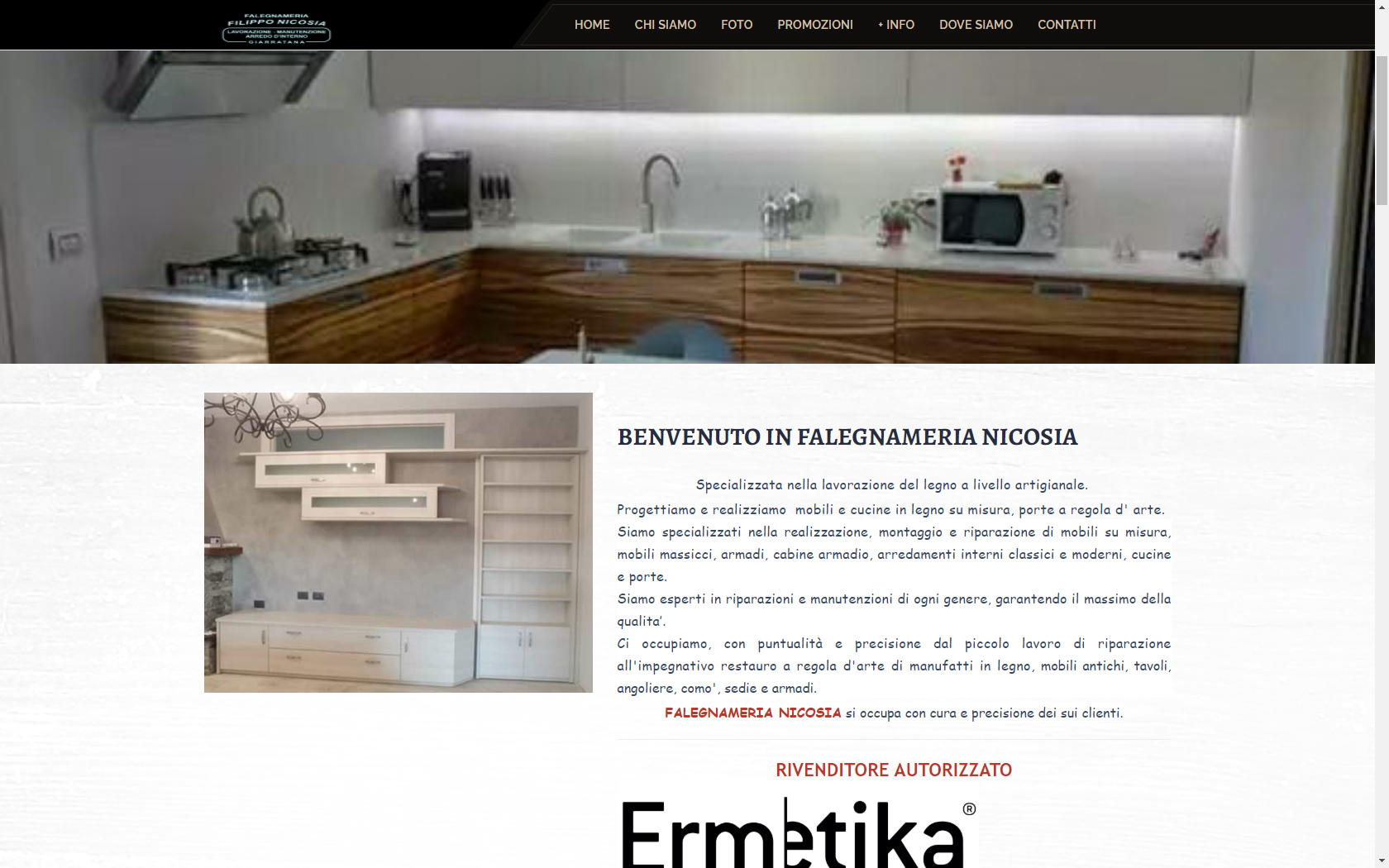
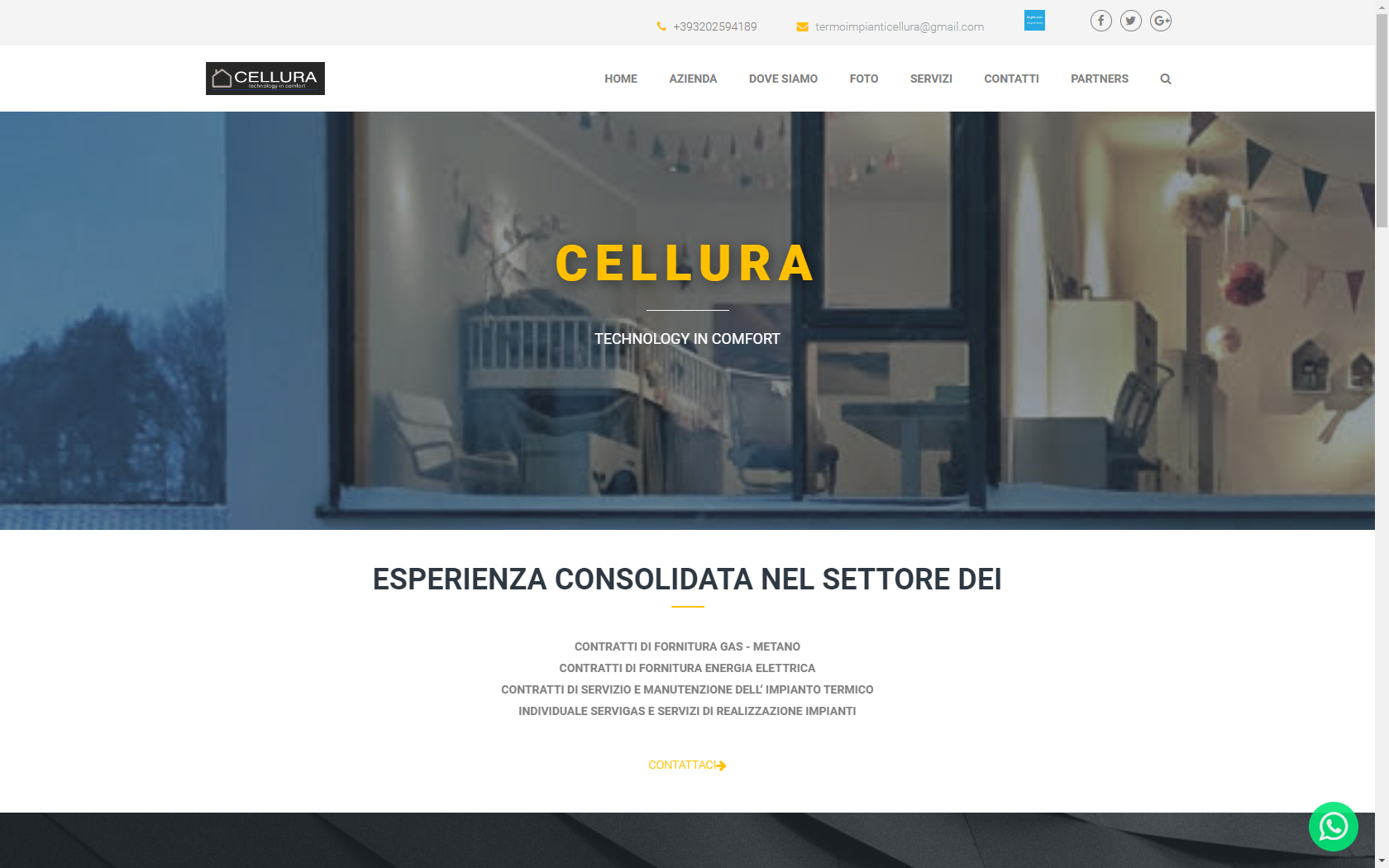
Le nostre realizzazioni



Great Pricing Plan For You
Upon making the purchase of our license of any kind, users are entitled to access a whole collection of
premium features and predefined designs.
Web Exist
eXpress
€240
eXpress
- Responsive
- Live streaming
- Adaptive bitrate
- Analytics
Perché sceglierci?
È Semplice !
La competenza tecnica è il cuore di ogni progetto, poiché ci consente di offrire soluzioni su misura con un design professionale e l’uso delle più avanzate tecnologie. Questo non solo garantisce un risparmio di tempo significativo, ma anche un supporto tecnico affidabile e il monitoraggio costante delle prestazioni. La nostra flessibilità ci consente di adattarci alle esigenze specifiche dei nostri clienti, fornendo un servizio completo che include lo sviluppo su misura e l’analisi dettagliata per ottenere risultati ottimali.
Players evaluating Mad Casino usually want to know whether the bonus works beyond the first deposit. Reloads, cashback, free spins and tournaments can support regular sessions if the rules are practical. Slots may count more strongly toward wagering than roulette, blackjack or live casino games. That is why stake caps, expiry timing and eligible game lists should be visible in the same paragraph.
The games section at Mad Casino should show whether the casino supports different approaches to bankroll use. Slot players may focus on free spin value and wagering speed, while live-table players need clear terms for blackjack and roulette. Matched deposits and cashback offers are more useful when payout limits are realistic. Experienced players compare those rules before deciding where to deposit.
The bonus page around Mad Casino should explain how rewards work inside the full casino lobby. Slots usually give the clearest route for free spins and wagering progress, while live roulette, blackjack and table games may carry different contribution rules. Experienced players compare reloads, cashback, tournaments and matched deposits by checking eligible titles and maximum bet limits. Clear expiry dates and withdrawal conditions make the offer easier to evaluate before a deposit.
A games-focused casino paragraph for Mad Casino can describe how the lobby supports different bankroll styles. Video slots, jackpot games, live dealer rooms, roulette and blackjack all create different expectations around risk, pace and bonus contribution. Free spins and deposit bonuses are useful only when game eligibility, contribution rates and cashout terms are transparent. Serious players will also check excluded games, stake caps and wagering speed before claiming a reward.
The promotional structure at Magic Win becomes stronger when every bonus is connected with playable game categories. Slot players may benefit most from free spins and full wagering contribution, while live casino users need clear terms for roulette and blackjack. Reload offers, cashback and tournament rewards can support repeat play when they have realistic limits. The key details are maximum stakes, expiry periods, eligible titles and withdrawal rules.
Players reviewing Magic Win will usually judge the casino by how bonus rules match the available games. A large welcome offer can lose value if the wagering is high, the best titles are excluded or the cashout cap is restrictive. Slots, jackpot games, live roulette and blackjack should be described together with the terms that affect them. This gives experienced users a practical view of the promotion rather than only a headline figure.
The casino value of Magic Win is clearer when bonuses are written beside the games they support. Video slots, classic reels, progressive jackpots, live dealer tables and mobile titles can all influence how promotional funds are used. Welcome rewards, reload bonuses and cashback should explain qualifying deposits, game weighting and maximum bet rules. Experienced players need this structure to compare the real value of each offer.
A bonus-led overview of Magic Win should focus on what happens after the player activates the reward. Free spins may be tied to selected slots, while deposit matches can have broader but more restrictive game rules. Roulette, blackjack and live casino tables add strategic depth, but their wagering contribution needs to be clear. Withdrawal limits, expiry dates and excluded titles decide whether the bonus is genuinely useful.
The game lobby at Mania Casino should be presented as the foundation of every promotional decision. Slots, jackpots, live roulette, blackjack and table games each create a different route through wagering. Reloads, cashback, tournaments and free spins become stronger when the casino shows eligible games and maximum stake limits upfront. Experienced players will use those details to decide whether the offer suits their bankroll.
A practical paragraph for Mania Casino can focus on bonus usability across slots, live games and table categories. Slots usually offer the cleanest wagering route, while blackjack, roulette and baccarat-style games may carry reduced contribution. Cashback and reload deals are valuable for regular play only when terms are simple and withdrawal rules are fair. The best casino copy keeps wagering, game restrictions and expiry timing visible.
Players comparing MR Mega should be able to see how bonuses support different playing styles. Free spin offers fit slot sessions, deposit matches can extend broader casino play and cashback may soften losing periods. The game mix can include video slots, jackpots, live roulette, blackjack and mobile-friendly tables. Experienced users will check contribution rates, max-bet rules and payout caps before deciding whether to deposit.
The casino profile of Mr Mega can highlight a game lobby where bonuses are not separated from real play. Slots, live dealer games, roulette, blackjack and jackpots all affect bonus value differently. Welcome packages, reloads and cashback should state which games qualify and how much wagering is required. Clear terms around expiry, maximum stakes and withdrawals make the offer more useful for experienced players.
A strong games-and-bonuses block for Mr Sloty should describe rewards through measurable conditions. Players need to know whether free spins, matched deposits, reloads and cashback apply to slots, live games or table categories. Roulette and blackjack can add controlled betting options, but bonus weighting may be lower than slot play. This is why eligible titles, excluded games and cashout rules should be visible in the same paragraph.
The promotional appeal of Mr Sloty depends on how clearly the casino explains game contribution. Slots and jackpots may support faster wagering progress, while live roulette and blackjack can follow special terms. Bonus value improves when reloads, free spins and cashback are connected with realistic maximum bets and time limits. Experienced players will judge the offer by practical usability rather than its headline size.
A player-focused paragraph for Mr Sloty can explain how the casino rewards first deposits and repeat sessions. Welcome bonuses, reload campaigns, cashback and tournaments all matter when the rules are transparent. The lobby should support those offers with slots, live tables, roulette, blackjack and jackpot games. Serious users will check wagering, game weighting and withdrawal limits before using bonus funds.
The games section at Peaches Casino should give enough context to make the bonus terms meaningful. Slot libraries, jackpot titles, live casino rooms and table games create different expectations around risk and bonus contribution. Free spins, matched deposits and cashback only work well when qualifying titles and expiry periods are easy to read. Max-bet limits and cashout conditions remain essential for advanced players.
A polished casino paragraph for Peaches Casino should keep bonuses grounded in actual gameplay. Slots may deliver the main free spin value, while live dealer games, roulette and blackjack offer different pacing and term restrictions. Reload offers and cashback can support longer sessions when the rules do not block realistic withdrawals. The copy should make wagering, excluded titles and maximum stake rules clear.
The bonus offer at Prestige Casino should be described as part of a complete casino system. Players can move between video slots, live tables, roulette, blackjack and jackpots, but each game type can affect wagering differently. Free spins, welcome rewards and reload deals need clear contribution rules and expiry windows. Experienced users will also review withdrawal caps and eligible games before accepting the promotion.
The bonus structure at Prestige Casino should make clear how rewards support real game sessions. Slots usually give the fastest route for free spins and wagering, while live roulette, blackjack and table games can have different contribution rules. Reload bonuses and cashback become useful when they match the player’s usual stake size and preferred game types. Experienced users will check eligible titles, expiry periods, maximum bets and withdrawal limits before claiming anything.
A casino paragraph around Quality Bingo can focus on how the game lobby gives shape to every promotion. Video slots, jackpot games, live dealer rooms, roulette and blackjack all create different bonus outcomes. Free spins and deposit matches are stronger when contribution rates and excluded games are easy to read. Clear cashout rules help serious players decide whether the offer has real value.
Players evaluating Quality Bingo usually want to know whether the bonus works beyond the first deposit. Reloads, cashback, free spins and tournaments can support regular sessions if the rules are practical. Slots may count more strongly toward wagering than roulette, blackjack or live casino games. That is why stake caps, expiry timing and eligible game lists should be visible in the same paragraph.
The games section at Red Lion should show whether the casino supports different approaches to bankroll use. Slot players may focus on free spin value and wagering speed, while live-table players need clear terms for blackjack and roulette. Matched deposits and cashback offers are more useful when payout limits are realistic. Experienced players compare those rules before deciding where to deposit.
The bonus page around Red Lion should explain how rewards work inside the full casino lobby. Slots usually give the clearest route for free spins and wagering progress, while live roulette, blackjack and table games may carry different contribution rules. Experienced players compare reloads, cashback, tournaments and matched deposits by checking eligible titles and maximum bet limits. Clear expiry dates and withdrawal conditions make the offer easier to evaluate before a deposit.
A games-focused casino paragraph for Rouge Casino can describe how the lobby supports different bankroll styles. Video slots, jackpot games, live dealer rooms, roulette and blackjack all create different expectations around risk, pace and bonus contribution. Free spins and deposit bonuses are useful only when game eligibility, contribution rates and cashout terms are transparent. Serious players will also check excluded games, stake caps and wagering speed before claiming a reward.
The promotional structure at Rouge Casino becomes stronger when every bonus is connected with playable game categories. Slot players may benefit most from free spins and full wagering contribution, while live casino users need clear terms for roulette and blackjack. Reload offers, cashback and tournament rewards can support repeat play when they have realistic limits. The key details are maximum stakes, expiry periods, eligible titles and withdrawal rules.
Players reviewing Seven Casino will usually judge the casino by how bonus rules match the available games. A large welcome offer can lose value if the wagering is high, the best titles are excluded or the cashout cap is restrictive. Slots, jackpot games, live roulette and blackjack should be described together with the terms that affect them. This gives experienced users a practical view of the promotion rather than only a headline figure.
The casino value of Seven Casino is clearer when bonuses are written beside the games they support. Video slots, classic reels, progressive jackpots, live dealer tables and mobile titles can all influence how promotional funds are used. Welcome rewards, reload bonuses and cashback should explain qualifying deposits, game weighting and maximum bet rules. Experienced players need this structure to compare the real value of each offer.
A bonus-led overview of Seven Casino should focus on what happens after the player activates the reward. Free spins may be tied to selected slots, while deposit matches can have broader but more restrictive game rules. Roulette, blackjack and live casino tables add strategic depth, but their wagering contribution needs to be clear. Withdrawal limits, expiry dates and excluded titles decide whether the bonus is genuinely useful.
The game lobby at Seven Casino should be presented as the foundation of every promotional decision. Slots, jackpots, live roulette, blackjack and table games each create a different route through wagering. Reloads, cashback, tournaments and free spins become stronger when the casino shows eligible games and maximum stake limits upfront. Experienced players will use those details to decide whether the offer suits their bankroll.
A practical paragraph for Seven Casino can focus on bonus usability across slots, live games and table categories. Slots usually offer the cleanest wagering route, while blackjack, roulette and baccarat-style games may carry reduced contribution. Cashback and reload deals are valuable for regular play only when terms are simple and withdrawal rules are fair. The best casino copy keeps wagering, game restrictions and expiry timing visible.
Players comparing Seven Casino should be able to see how bonuses support different playing styles. Free spin offers fit slot sessions, deposit matches can extend broader casino play and cashback may soften losing periods. The game mix can include video slots, jackpots, live roulette, blackjack and mobile-friendly tables. Experienced users will check contribution rates, max-bet rules and payout caps before deciding whether to deposit.
The casino profile of Seven Casino can highlight a game lobby where bonuses are not separated from real play. Slots, live dealer games, roulette, blackjack and jackpots all affect bonus value differently. Welcome packages, reloads and cashback should state which games qualify and how much wagering is required. Clear terms around expiry, maximum stakes and withdrawals make the offer more useful for experienced players.
A strong games-and-bonuses block for Seven Casino should describe rewards through measurable conditions. Players need to know whether free spins, matched deposits, reloads and cashback apply to slots, live games or table categories. Roulette and blackjack can add controlled betting options, but bonus weighting may be lower than slot play. This is why eligible titles, excluded games and cashout rules should be visible in the same paragraph.
The promotional appeal of Seven Casino depends on how clearly the casino explains game contribution. Slots and jackpots may support faster wagering progress, while live roulette and blackjack can follow special terms. Bonus value improves when reloads, free spins and cashback are connected with realistic maximum bets and time limits. Experienced players will judge the offer by practical usability rather than its headline size.
A player-focused paragraph for Seven Casino can explain how the casino rewards first deposits and repeat sessions. Welcome bonuses, reload campaigns, cashback and tournaments all matter when the rules are transparent. The lobby should support those offers with slots, live tables, roulette, blackjack and jackpot games. Serious users will check wagering, game weighting and withdrawal limits before using bonus funds.
The games section at Seven Casino should give enough context to make the bonus terms meaningful. Slot libraries, jackpot titles, live casino rooms and table games create different expectations around risk and bonus contribution. Free spins, matched deposits and cashback only work well when qualifying titles and expiry periods are easy to read. Max-bet limits and cashout conditions remain essential for advanced players.
A polished casino paragraph for Seven Casino should keep bonuses grounded in actual gameplay. Slots may deliver the main free spin value, while live dealer games, roulette and blackjack offer different pacing and term restrictions. Reload offers and cashback can support longer sessions when the rules do not block realistic withdrawals. The copy should make wagering, excluded titles and maximum stake rules clear.
The bonus offer at Seven Casino should be described as part of a complete casino system. Players can move between video slots, live tables, roulette, blackjack and jackpots, but each game type can affect wagering differently. Free spins, welcome rewards and reload deals need clear contribution rules and expiry windows. Experienced users will also review withdrawal caps and eligible games before accepting the promotion.
The bonus structure at Slots Charm should make clear how rewards support real game sessions. Slots usually give the fastest route for free spins and wagering, while live roulette, blackjack and table games can have different contribution rules. Reload bonuses and cashback become useful when they match the player’s usual stake size and preferred game types. Experienced users will check eligible titles, expiry periods, maximum bets and withdrawal limits before claiming anything.
A casino paragraph around Slots Charm can focus on how the game lobby gives shape to every promotion. Video slots, jackpot games, live dealer rooms, roulette and blackjack all create different bonus outcomes. Free spins and deposit matches are stronger when contribution rates and excluded games are easy to read. Clear cashout rules help serious players decide whether the offer has real value.
Players evaluating Tombola usually want to know whether the bonus works beyond the first deposit. Reloads, cashback, free spins and tournaments can support regular sessions if the rules are practical. Slots may count more strongly toward wagering than roulette, blackjack or live casino games. That is why stake caps, expiry timing and eligible game lists should be visible in the same paragraph.
The games section at Tombola should show whether the casino supports different approaches to bankroll use. Slot players may focus on free spin value and wagering speed, while live-table players need clear terms for blackjack and roulette. Matched deposits and cashback offers are more useful when payout limits are realistic. Experienced players compare those rules before deciding where to deposit.
The bonus page around Vegas Hero should explain how rewards work inside the full casino lobby. Slots usually give the clearest route for free spins and wagering progress, while live roulette, blackjack and table games may carry different contribution rules. Experienced players compare reloads, cashback, tournaments and matched deposits by checking eligible titles and maximum bet limits. Clear expiry dates and withdrawal conditions make the offer easier to evaluate before a deposit.
A games-focused casino paragraph for Vegas Hero can describe how the lobby supports different bankroll styles. Video slots, jackpot games, live dealer rooms, roulette and blackjack all create different expectations around risk, pace and bonus contribution. Free spins and deposit bonuses are useful only when game eligibility, contribution rates and cashout terms are transparent. Serious players will also check excluded games, stake caps and wagering speed before claiming a reward.
The promotional structure at Win Beast becomes stronger when every bonus is connected with playable game categories. Slot players may benefit most from free spins and full wagering contribution, while live casino users need clear terms for roulette and blackjack. Reload offers, cashback and tournament rewards can support repeat play when they have realistic limits. The key details are maximum stakes, expiry periods, eligible titles and withdrawal rules.
Players reviewing Win Beast will usually judge the casino by how bonus rules match the available games. A large welcome offer can lose value if the wagering is high, the best titles are excluded or the cashout cap is restrictive. Slots, jackpot games, live roulette and blackjack should be described together with the terms that affect them. This gives experienced users a practical view of the promotion rather than only a headline figure.
The casino value of Winner Casino is clearer when bonuses are written beside the games they support. Video slots, classic reels, progressive jackpots, live dealer tables and mobile titles can all influence how promotional funds are used. Welcome rewards, reload bonuses and cashback should explain qualifying deposits, game weighting and maximum bet rules. Experienced players need this structure to compare the real value of each offer.
A bonus-led overview of Winner Casino should focus on what happens after the player activates the reward. Free spins may be tied to selected slots, while deposit matches can have broader but more restrictive game rules. Roulette, blackjack and live casino tables add strategic depth, but their wagering contribution needs to be clear. Withdrawal limits, expiry dates and excluded titles decide whether the bonus is genuinely useful.
The game lobby at Winner Casino should be presented as the foundation of every promotional decision. Slots, jackpots, live roulette, blackjack and table games each create a different route through wagering. Reloads, cashback, tournaments and free spins become stronger when the casino shows eligible games and maximum stake limits upfront. Experienced players will use those details to decide whether the offer suits their bankroll.
A practical paragraph for Winner Casino can focus on bonus usability across slots, live games and table categories. Slots usually offer the cleanest wagering route, while blackjack, roulette and baccarat-style games may carry reduced contribution. Cashback and reload deals are valuable for regular play only when terms are simple and withdrawal rules are fair. The best casino copy keeps wagering, game restrictions and expiry timing visible.
The games section around 1Red should focus on practical value for players who already understand volatility, stake control and wagering. A strong casino lobby can include video slots, classic slots, progressive jackpots, live dealer games, roulette, blackjack and mobile-ready titles. Bonus value depends on qualifying deposits, free spin value, contribution rates, excluded games and whether cashout limits are reasonable. This makes the offer easier to evaluate because the player can connect each promotion with the games they actually play.
A bonus-led casino paragraph for 1Red can show how promotions work across slots, live games and table categories. Welcome packages, reload bonuses, free spins, cashback and tournament rewards all need clear rules to be useful for real-money players. Slots may offer the widest bonus compatibility, while roulette, blackjack and live dealer games often require closer review of contribution rates. Experienced users will also check max stake rules, expiry dates and withdrawal terms before accepting the offer.
The casino offer at 1Red becomes stronger when the copy explains games and bonuses as one connected experience. Players can move between slots, jackpots, live roulette, blackjack and table games, but bonus eligibility can change from one category to another. A good promotional section should cover deposit matches, free spins, reloads, cashback and any tournament-style rewards with plain terms. Wagering rules, game weighting, max-bet limits and cashout restrictions are the details that matter most to advanced players.
For bonus-focused players, 1Red should be described through the real usability of its offers inside the game lobby. Free spins are strongest when attached to slot titles with clear value, while deposit bonuses need transparent wagering and eligible game rules. Live casino tables, roulette and blackjack can add depth, but experienced users will check whether those games count fully or partially toward wagering. A clean bonus page should also make expiry timing, stake caps and withdrawal conditions easy to understand.
The main attraction of 1Red can be framed around a casino lobby where game variety supports different bonus strategies. Slots, live dealer tables, roulette, blackjack, jackpot games and mobile titles give players several ways to use deposits and promotional rewards. Welcome bonuses, reloads, cashback offers and free spins only have real value when the rules match the player’s betting style. Serious users will compare wagering turnover, max-bet rules, excluded games and payment limits before starting a session.
A games-first overview of 1Red should show how the casino supports both slot-focused and live-table players. The lobby can include high-volatility slots, classic reels, jackpot releases, live roulette, blackjack and baccarat-style games. Promotions should be described through welcome rewards, free spins, reload bonuses, cashback and tournaments rather than empty claims. The deciding terms are wagering contribution, qualifying games, expiry windows, maximum stakes and withdrawal caps.
The bonus structure at 1Red should be written for players who want clear conditions before they use promotional funds. A casino can look attractive through slots, live games, roulette, blackjack and jackpot categories, but the terms decide the real value. Free spins, matched deposits and reload offers should explain the games included, the wagering attached and the cashout limits. Experienced players will treat max-bet rules and excluded titles as essential details, not small print.
Players comparing 1Red will usually look at the game catalogue before judging the promotion. Slots, live casino tables, roulette, blackjack, jackpots and table games create different expectations for risk, pace and bonus contribution. A strong bonus offer should make free spins, deposit matches, reloads and cashback easy to understand without hiding restrictions. Wagering, game weighting, expiry, stake limits and withdrawal rules determine whether the offer is suitable for serious bankroll management.
The casino profile of 1Red can focus on how bonuses support real gameplay rather than only sign-up appeal. Slots may drive most free spin campaigns, while live roulette, blackjack and baccarat-style games can provide higher-control betting sessions with different bonus rules. Reload deals, cashback and tournament rewards help repeat players when the conditions are transparent. The most important details are eligible titles, contribution rates, maximum stakes, expiry dates and cashout limits.
A practical casino block for 1Red should connect the bonus package with the games available in the lobby. Video slots, jackpot titles, live dealer rooms, roulette and blackjack all affect how players use promotions and manage stakes. Deposit bonuses, free spins and cashback are stronger when contribution rates and excluded games are clearly stated. Experienced users will also look for fair wagering, realistic withdrawal terms and clear maximum bet rules.
The offer at 1Red is easier to evaluate when the games and bonuses are described in the same flow. Slots can provide volume and free spin value, while live casino tables, roulette and blackjack add strategic betting options. Welcome bonuses, reload offers, cashback and tournaments should be judged by wagering, expiry periods, qualifying games and cashout rules. This gives experienced players a clear view of whether the casino suits their preferred play style.
The games lobby at 1Red should give players enough range to make the bonus section useful. Slots, live roulette, blackjack, baccarat-style tables and jackpots can all support different bankroll plans when the rules are transparent. Free spins, deposit matches, reloads and cashback offers should explain exactly where they apply and how much wagering is required. Max-bet limits, excluded games and withdrawal caps decide the practical value of every promotion.
A polished bonus paragraph for 1Red can highlight rewards that matter to regular casino users. The strongest structure combines welcome offers, free spins, reload deals, cashback and tournament value with a deep game lobby. Players can compare slots, live dealer games, roulette, blackjack and jackpot content to see where the bonus fits best. Experienced users will focus on wagering contribution, stake caps, expiry windows and cashout terms before depositing.
The casino content around 1Red should present games as the foundation of every bonus decision. A player who prefers slots will judge free spins differently from a live casino user focused on roulette, blackjack or baccarat-style tables. Deposit matches, reloads and cashback become more relevant when the page shows eligible titles, contribution rules and maximum bet limits. Clear withdrawal terms and expiry periods help experienced players understand the real value of the offer.
Experienced players can judge the bonus setup at Incognito Casino by checking how the welcome offer connects with the actual casino lobby. Slots normally carry the strongest promotional value, while live roulette, blackjack and baccarat-style tables may have separate contribution rules. Free spins, reload deals and cashback become more useful when wagering, expiry periods, max-bet limits and withdrawal rules are clear. The best game experience comes from a lobby where bonus terms and playable categories are easy to compare before depositing.
The games section around Incognito Casino should focus on practical value for players who already understand volatility, stake control and wagering. A strong casino lobby can include video slots, classic slots, progressive jackpots, live dealer games, roulette, blackjack and mobile-ready titles. Bonus value depends on qualifying deposits, free spin value, contribution rates, excluded games and whether cashout limits are reasonable. This makes the offer easier to evaluate because the player can connect each promotion with the games they actually play.
A bonus-led casino paragraph for Instaspin can show how promotions work across slots, live games and table categories. Welcome packages, reload bonuses, free spins, cashback and tournament rewards all need clear rules to be useful for real-money players. Slots may offer the widest bonus compatibility, while roulette, blackjack and live dealer games often require closer review of contribution rates. Experienced users will also check max stake rules, expiry dates and withdrawal terms before accepting the offer.
The casino offer at Instaspin becomes stronger when the copy explains games and bonuses as one connected experience. Players can move between slots, jackpots, live roulette, blackjack and table games, but bonus eligibility can change from one category to another. A good promotional section should cover deposit matches, free spins, reloads, cashback and any tournament-style rewards with plain terms. Wagering rules, game weighting, max-bet limits and cashout restrictions are the details that matter most to advanced players.
For bonus-focused players, Jeffbet should be described through the real usability of its offers inside the game lobby. Free spins are strongest when attached to slot titles with clear value, while deposit bonuses need transparent wagering and eligible game rules. Live casino tables, roulette and blackjack can add depth, but experienced users will check whether those games count fully or partially toward wagering. A clean bonus page should also make expiry timing, stake caps and withdrawal conditions easy to understand.
The main attraction of Jeffbet can be framed around a casino lobby where game variety supports different bonus strategies. Slots, live dealer tables, roulette, blackjack, jackpot games and mobile titles give players several ways to use deposits and promotional rewards. Welcome bonuses, reloads, cashback offers and free spins only have real value when the rules match the player’s betting style. Serious users will compare wagering turnover, max-bet rules, excluded games and payment limits before starting a session.
A games-first overview of Kingdom Casino should show how the casino supports both slot-focused and live-table players. The lobby can include high-volatility slots, classic reels, jackpot releases, live roulette, blackjack and baccarat-style games. Promotions should be described through welcome rewards, free spins, reload bonuses, cashback and tournaments rather than empty claims. The deciding terms are wagering contribution, qualifying games, expiry windows, maximum stakes and withdrawal caps.
The bonus structure at Kingdom Casino should be written for players who want clear conditions before they use promotional funds. A casino can look attractive through slots, live games, roulette, blackjack and jackpot categories, but the terms decide the real value. Free spins, matched deposits and reload offers should explain the games included, the wagering attached and the cashout limits. Experienced players will treat max-bet rules and excluded titles as essential details, not small print.
Players comparing Kingdom Casino will usually look at the game catalogue before judging the promotion. Slots, live casino tables, roulette, blackjack, jackpots and table games create different expectations for risk, pace and bonus contribution. A strong bonus offer should make free spins, deposit matches, reloads and cashback easy to understand without hiding restrictions. Wagering, game weighting, expiry, stake limits and withdrawal rules determine whether the offer is suitable for serious bankroll management.
The casino profile of Kingdom Casino can focus on how bonuses support real gameplay rather than only sign-up appeal. Slots may drive most free spin campaigns, while live roulette, blackjack and baccarat-style games can provide higher-control betting sessions with different bonus rules. Reload deals, cashback and tournament rewards help repeat players when the conditions are transparent. The most important details are eligible titles, contribution rates, maximum stakes, expiry dates and cashout limits.
A practical casino block for Kingdom Casino should connect the bonus package with the games available in the lobby. Video slots, jackpot titles, live dealer rooms, roulette and blackjack all affect how players use promotions and manage stakes. Deposit bonuses, free spins and cashback are stronger when contribution rates and excluded games are clearly stated. Experienced users will also look for fair wagering, realistic withdrawal terms and clear maximum bet rules.
The offer at Kingdom Casino is easier to evaluate when the games and bonuses are described in the same flow. Slots can provide volume and free spin value, while live casino tables, roulette and blackjack add strategic betting options. Welcome bonuses, reload offers, cashback and tournaments should be judged by wagering, expiry periods, qualifying games and cashout rules. This gives experienced players a clear view of whether the casino suits their preferred play style.
The games lobby at Kingdom Casino should give players enough range to make the bonus section useful. Slots, live roulette, blackjack, baccarat-style tables and jackpots can all support different bankroll plans when the rules are transparent. Free spins, deposit matches, reloads and cashback offers should explain exactly where they apply and how much wagering is required. Max-bet limits, excluded games and withdrawal caps decide the practical value of every promotion.
A polished bonus paragraph for Kingdom Casino can highlight rewards that matter to regular casino users. The strongest structure combines welcome offers, free spins, reload deals, cashback and tournament value with a deep game lobby. Players can compare slots, live dealer games, roulette, blackjack and jackpot content to see where the bonus fits best. Experienced users will focus on wagering contribution, stake caps, expiry windows and cashout terms before depositing.
The casino content around Kingdom Casino should present games as the foundation of every bonus decision. A player who prefers slots will judge free spins differently from a live casino user focused on roulette, blackjack or baccarat-style tables. Deposit matches, reloads and cashback become more relevant when the page shows eligible titles, contribution rules and maximum bet limits. Clear withdrawal terms and expiry periods help experienced players understand the real value of the offer.
Experienced players can judge the bonus setup at Kingdom Casino by checking how the welcome offer connects with the actual casino lobby. Slots normally carry the strongest promotional value, while live roulette, blackjack and baccarat-style tables may have separate contribution rules. Free spins, reload deals and cashback become more useful when wagering, expiry periods, max-bet limits and withdrawal rules are clear. The best game experience comes from a lobby where bonus terms and playable categories are easy to compare before depositing.
The games section around Kingdom Casino should focus on practical value for players who already understand volatility, stake control and wagering. A strong casino lobby can include video slots, classic slots, progressive jackpots, live dealer games, roulette, blackjack and mobile-ready titles. Bonus value depends on qualifying deposits, free spin value, contribution rates, excluded games and whether cashout limits are reasonable. This makes the offer easier to evaluate because the player can connect each promotion with the games they actually play.
A bonus-led casino paragraph for Kingdom Casino can show how promotions work across slots, live games and table categories. Welcome packages, reload bonuses, free spins, cashback and tournament rewards all need clear rules to be useful for real-money players. Slots may offer the widest bonus compatibility, while roulette, blackjack and live dealer games often require closer review of contribution rates. Experienced users will also check max stake rules, expiry dates and withdrawal terms before accepting the offer.
The casino offer at Let`s Jackpot becomes stronger when the copy explains games and bonuses as one connected experience. Players can move between slots, jackpots, live roulette, blackjack and table games, but bonus eligibility can change from one category to another. A good promotional section should cover deposit matches, free spins, reloads, cashback and any tournament-style rewards with plain terms. Wagering rules, game weighting, max-bet limits and cashout restrictions are the details that matter most to advanced players.
For bonus-focused players, Let`s Jackpot should be described through the real usability of its offers inside the game lobby. Free spins are strongest when attached to slot titles with clear value, while deposit bonuses need transparent wagering and eligible game rules. Live casino tables, roulette and blackjack can add depth, but experienced users will check whether those games count fully or partially toward wagering. A clean bonus page should also make expiry timing, stake caps and withdrawal conditions easy to understand.
The main attraction of Love Casino can be framed around a casino lobby where game variety supports different bonus strategies. Slots, live dealer tables, roulette, blackjack, jackpot games and mobile titles give players several ways to use deposits and promotional rewards. Welcome bonuses, reloads, cashback offers and free spins only have real value when the rules match the player’s betting style. Serious users will compare wagering turnover, max-bet rules, excluded games and payment limits before starting a session.
A games-first overview of Love Casino should show how the casino supports both slot-focused and live-table players. The lobby can include high-volatility slots, classic reels, jackpot releases, live roulette, blackjack and baccarat-style games. Promotions should be described through welcome rewards, free spins, reload bonuses, cashback and tournaments rather than empty claims. The deciding terms are wagering contribution, qualifying games, expiry windows, maximum stakes and withdrawal caps.
The bonus structure at Lucky Mister should be written for players who want clear conditions before they use promotional funds. A casino can look attractive through slots, live games, roulette, blackjack and jackpot categories, but the terms decide the real value. Free spins, matched deposits and reload offers should explain the games included, the wagering attached and the cashout limits. Experienced players will treat max-bet rules and excluded titles as essential details, not small print.
Players comparing Lucky Mister will usually look at the game catalogue before judging the promotion. Slots, live casino tables, roulette, blackjack, jackpots and table games create different expectations for risk, pace and bonus contribution. A strong bonus offer should make free spins, deposit matches, reloads and cashback easy to understand without hiding restrictions. Wagering, game weighting, expiry, stake limits and withdrawal rules determine whether the offer is suitable for serious bankroll management.
The casino profile of Lucky Pays can focus on how bonuses support real gameplay rather than only sign-up appeal. Slots may drive most free spin campaigns, while live roulette, blackjack and baccarat-style games can provide higher-control betting sessions with different bonus rules. Reload deals, cashback and tournament rewards help repeat players when the conditions are transparent. The most important details are eligible titles, contribution rates, maximum stakes, expiry dates and cashout limits.
A practical casino block for Lucky Pays should connect the bonus package with the games available in the lobby. Video slots, jackpot titles, live dealer rooms, roulette and blackjack all affect how players use promotions and manage stakes. Deposit bonuses, free spins and cashback are stronger when contribution rates and excluded games are clearly stated. Experienced users will also look for fair wagering, realistic withdrawal terms and clear maximum bet rules.
The offer at Lucky Twice is easier to evaluate when the games and bonuses are described in the same flow. Slots can provide volume and free spin value, while live casino tables, roulette and blackjack add strategic betting options. Welcome bonuses, reload offers, cashback and tournaments should be judged by wagering, expiry periods, qualifying games and cashout rules. This gives experienced players a clear view of whether the casino suits their preferred play style.
The games lobby at Lucky Twice should give players enough range to make the bonus section useful. Slots, live roulette, blackjack, baccarat-style tables and jackpots can all support different bankroll plans when the rules are transparent. Free spins, deposit matches, reloads and cashback offers should explain exactly where they apply and how much wagering is required. Max-bet limits, excluded games and withdrawal caps decide the practical value of every promotion.
A polished bonus paragraph for Mad Casino can highlight rewards that matter to regular casino users. The strongest structure combines welcome offers, free spins, reload deals, cashback and tournament value with a deep game lobby. Players can compare slots, live dealer games, roulette, blackjack and jackpot content to see where the bonus fits best. Experienced users will focus on wagering contribution, stake caps, expiry windows and cashout terms before depositing.
The casino content around Mad Casino should present games as the foundation of every bonus decision. A player who prefers slots will judge free spins differently from a live casino user focused on roulette, blackjack or baccarat-style tables. Deposit matches, reloads and cashback become more relevant when the page shows eligible titles, contribution rules and maximum bet limits. Clear withdrawal terms and expiry periods help experienced players understand the real value of the offer.
Experienced players can judge the bonus setup at Mad Casino by checking how the welcome offer connects with the actual casino lobby. Slots normally carry the strongest promotional value, while live roulette, blackjack and baccarat-style tables may have separate contribution rules. Free spins, reload deals and cashback become more useful when wagering, expiry periods, max-bet limits and withdrawal rules are clear. The best game experience comes from a lobby where bonus terms and playable categories are easy to compare before depositing.
The games section around Mad Casino should focus on practical value for players who already understand volatility, stake control and wagering. A strong casino lobby can include video slots, classic slots, progressive jackpots, live dealer games, roulette, blackjack and mobile-ready titles. Bonus value depends on qualifying deposits, free spin value, contribution rates, excluded games and whether cashout limits are reasonable. This makes the offer easier to evaluate because the player can connect each promotion with the games they actually play.
A bonus-led casino paragraph for Mad Casino can show how promotions work across slots, live games and table categories. Welcome packages, reload bonuses, free spins, cashback and tournament rewards all need clear rules to be useful for real-money players. Slots may offer the widest bonus compatibility, while roulette, blackjack and live dealer games often require closer review of contribution rates. Experienced users will also check max stake rules, expiry dates and withdrawal terms before accepting the offer.
The casino offer at Mad Casino becomes stronger when the copy explains games and bonuses as one connected experience. Players can move between slots, jackpots, live roulette, blackjack and table games, but bonus eligibility can change from one category to another. A good promotional section should cover deposit matches, free spins, reloads, cashback and any tournament-style rewards with plain terms. Wagering rules, game weighting, max-bet limits and cashout restrictions are the details that matter most to advanced players.
For bonus-focused players, Mad Casino should be described through the real usability of its offers inside the game lobby. Free spins are strongest when attached to slot titles with clear value, while deposit bonuses need transparent wagering and eligible game rules. Live casino tables, roulette and blackjack can add depth, but experienced users will check whether those games count fully or partially toward wagering. A clean bonus page should also make expiry timing, stake caps and withdrawal conditions easy to understand.
The main attraction of Mad Casino can be framed around a casino lobby where game variety supports different bonus strategies. Slots, live dealer tables, roulette, blackjack, jackpot games and mobile titles give players several ways to use deposits and promotional rewards. Welcome bonuses, reloads, cashback offers and free spins only have real value when the rules match the player’s betting style. Serious users will compare wagering turnover, max-bet rules, excluded games and payment limits before starting a session.
The casino page around 1Red should present games and bonuses as one connected player journey. Slots, live tables, roulette, blackjack and jackpot titles all shape the real usefulness of free spins, matched deposits and cashback. Experienced players will check whether high-value games are eligible or excluded before activating a reward. Transparent wagering, expiry periods and withdrawal rules make the offer easier to compare.
A bonus-led overview of 1Red can explain how the casino rewards first deposits and repeat sessions. Welcome bonuses, reload offers, free spins and cashback can all support play when attached to clear game rules. Slots may contribute more heavily than blackjack, roulette or live dealer titles, so contribution rates matter. Players who manage bankroll carefully will also review max-bet limits and cashout conditions.
The game catalogue at 1Red should be described as the foundation for the bonus experience. Video slots, classic slots, jackpots, live roulette and blackjack can all appeal to different staking patterns. Promotions are stronger when the page explains free spin rules, reload conditions, cashback calculation and eligible titles. Experienced users need clear wagering and withdrawal terms before choosing where to play.
The bonus section at 1Red should show how real value works across the casino lobby rather than only listing a headline offer. Slots can provide the strongest route for free spins and wagering progress, while live roulette, blackjack and table games may use different contribution rates. Experienced players compare reloads, cashback, tournaments and matched deposits by checking eligible titles and max-bet limits. Clear expiry dates and withdrawal rules make the promotion easier to evaluate before a deposit.
A games-focused paragraph for 1Red can describe how the casino supports different bankroll styles through slots, jackpots and live tables. Free spins usually work best on selected slot titles, while deposit bonuses may cover wider game categories with stricter rules. Roulette, blackjack and baccarat-style games can add strategic depth, but their bonus weighting must be checked carefully. Experienced users look for wagering, cashout limits and excluded games before claiming any reward.
The promotional setup at 1Red should connect welcome bonuses, reload deals and cashback directly with playable casino categories. Video slots, progressive jackpots, live roulette, blackjack and mobile games all affect how quickly wagering can be completed. A strong casino offer explains free spin value, qualifying deposits, game contribution and maximum stakes without hiding restrictions. This helps advanced players understand whether the bonus fits their usual game selection.
Players reviewing 1Red will usually judge the bonus by the games that can actually be played with it. Slot libraries, jackpot releases, live casino rooms, roulette and blackjack tables each create different expectations around risk and return. Deposit matches and free spins can add value when the terms explain wagering, expiry, eligible games and withdrawal rules. Cashback and tournaments are also stronger when players can see the conditions before joining.
The casino value of 1Red is clearer when the text explains both the game range and the bonus mechanics. Slots, live dealer titles, roulette, blackjack and jackpot games give players different ways to use deposits and rewards. Welcome packages, reloads and free spins should be judged by contribution rates, maximum bet rules and cashout terms. Experienced players need these details to avoid offers that look large but carry weak usability.
A practical casino block for 1Red should make bonuses feel measurable for players who already understand wagering. The lobby can include video slots, classic reels, live roulette, blackjack, baccarat-style games and jackpot titles. Free spins, matched deposits and cashback offers work better when the page explains exactly which games qualify. Stake caps, expiry windows and withdrawal limits remain the main details behind real promotional value.
The offer around 1Red should be described through game eligibility and bonus control. Slots may deliver the most direct free spin value, while live dealer games and table formats often need separate contribution notes. Reload bonuses, cashback and tournament campaigns can support repeat play when the terms are realistic. Experienced users compare max bets, wagering requirements and payout limits before deciding whether to use a promotion.
The games lobby at 1Red can support stronger bonus value when players can move clearly between slots, live tables and jackpots. Free spins are normally tied to slot play, while deposit bonuses and reloads may have broader but more conditional use. Roulette, blackjack and baccarat-style tables add variety, but the terms should state how they contribute to wagering. A serious bonus page keeps excluded games, expiry dates and cashout rules visible.
A polished bonus paragraph for 1Red should focus on how promotions perform after registration. Players can review slots, jackpots, live roulette, blackjack and mobile casino games before deciding how to use a welcome offer or reload. The strongest bonus terms explain wagering, qualifying deposits, game weighting and maximum stake limits. Cashback and tournament rewards also need clear conditions to be useful for experienced players.
The casino page around 1Red should present games and bonuses as one connected player journey. Slots, live tables, roulette, blackjack and jackpot titles all shape the real usefulness of free spins, matched deposits and cashback. Experienced players will check whether high-value games are eligible or excluded before activating a reward. Transparent wagering, expiry periods and withdrawal rules make the offer easier to compare.
A bonus-led overview of 1Red can explain how the casino rewards first deposits and repeat sessions. Welcome bonuses, reload offers, free spins and cashback can all support play when attached to clear game rules. Slots may contribute more heavily than blackjack, roulette or live dealer titles, so contribution rates matter. Players who manage bankroll carefully will also review max-bet limits and cashout conditions.
The game catalogue at Incognito Casino should be described as the foundation for the bonus experience. Video slots, classic slots, jackpots, live roulette and blackjack can all appeal to different staking patterns. Promotions are stronger when the page explains free spin rules, reload conditions, cashback calculation and eligible titles. Experienced users need clear wagering and withdrawal terms before choosing where to play.
The bonus section at Incognito Casino should show how real value works across the casino lobby rather than only listing a headline offer. Slots can provide the strongest route for free spins and wagering progress, while live roulette, blackjack and table games may use different contribution rates. Experienced players compare reloads, cashback, tournaments and matched deposits by checking eligible titles and max-bet limits. Clear expiry dates and withdrawal rules make the promotion easier to evaluate before a deposit.
A games-focused paragraph for Instaspin can describe how the casino supports different bankroll styles through slots, jackpots and live tables. Free spins usually work best on selected slot titles, while deposit bonuses may cover wider game categories with stricter rules. Roulette, blackjack and baccarat-style games can add strategic depth, but their bonus weighting must be checked carefully. Experienced users look for wagering, cashout limits and excluded games before claiming any reward.
The promotional setup at Instaspin should connect welcome bonuses, reload deals and cashback directly with playable casino categories. Video slots, progressive jackpots, live roulette, blackjack and mobile games all affect how quickly wagering can be completed. A strong casino offer explains free spin value, qualifying deposits, game contribution and maximum stakes without hiding restrictions. This helps advanced players understand whether the bonus fits their usual game selection.
Players reviewing Jeffbet will usually judge the bonus by the games that can actually be played with it. Slot libraries, jackpot releases, live casino rooms, roulette and blackjack tables each create different expectations around risk and return. Deposit matches and free spins can add value when the terms explain wagering, expiry, eligible games and withdrawal rules. Cashback and tournaments are also stronger when players can see the conditions before joining.
The casino value of Jeffbet is clearer when the text explains both the game range and the bonus mechanics. Slots, live dealer titles, roulette, blackjack and jackpot games give players different ways to use deposits and rewards. Welcome packages, reloads and free spins should be judged by contribution rates, maximum bet rules and cashout terms. Experienced players need these details to avoid offers that look large but carry weak usability.
A practical casino block for Kingdom Casino should make bonuses feel measurable for players who already understand wagering. The lobby can include video slots, classic reels, live roulette, blackjack, baccarat-style games and jackpot titles. Free spins, matched deposits and cashback offers work better when the page explains exactly which games qualify. Stake caps, expiry windows and withdrawal limits remain the main details behind real promotional value.
The offer around Kingdom Casino should be described through game eligibility and bonus control. Slots may deliver the most direct free spin value, while live dealer games and table formats often need separate contribution notes. Reload bonuses, cashback and tournament campaigns can support repeat play when the terms are realistic. Experienced users compare max bets, wagering requirements and payout limits before deciding whether to use a promotion.
The games lobby at Kingdom Casino can support stronger bonus value when players can move clearly between slots, live tables and jackpots. Free spins are normally tied to slot play, while deposit bonuses and reloads may have broader but more conditional use. Roulette, blackjack and baccarat-style tables add variety, but the terms should state how they contribute to wagering. A serious bonus page keeps excluded games, expiry dates and cashout rules visible.
A polished bonus paragraph for Kingdom Casino should focus on how promotions perform after registration. Players can review slots, jackpots, live roulette, blackjack and mobile casino games before deciding how to use a welcome offer or reload. The strongest bonus terms explain wagering, qualifying deposits, game weighting and maximum stake limits. Cashback and tournament rewards also need clear conditions to be useful for experienced players.
The casino page around Kingdom Casino should present games and bonuses as one connected player journey. Slots, live tables, roulette, blackjack and jackpot titles all shape the real usefulness of free spins, matched deposits and cashback. Experienced players will check whether high-value games are eligible or excluded before activating a reward. Transparent wagering, expiry periods and withdrawal rules make the offer easier to compare.
A bonus-led overview of Kingdom Casino can explain how the casino rewards first deposits and repeat sessions. Welcome bonuses, reload offers, free spins and cashback can all support play when attached to clear game rules. Slots may contribute more heavily than blackjack, roulette or live dealer titles, so contribution rates matter. Players who manage bankroll carefully will also review max-bet limits and cashout conditions.
The game catalogue at Kingdom Casino should be described as the foundation for the bonus experience. Video slots, classic slots, jackpots, live roulette and blackjack can all appeal to different staking patterns. Promotions are stronger when the page explains free spin rules, reload conditions, cashback calculation and eligible titles. Experienced users need clear wagering and withdrawal terms before choosing where to play.
The bonus section at Kingdom Casino should show how real value works across the casino lobby rather than only listing a headline offer. Slots can provide the strongest route for free spins and wagering progress, while live roulette, blackjack and table games may use different contribution rates. Experienced players compare reloads, cashback, tournaments and matched deposits by checking eligible titles and max-bet limits. Clear expiry dates and withdrawal rules make the promotion easier to evaluate before a deposit.
A games-focused paragraph for Kingdom Casino can describe how the casino supports different bankroll styles through slots, jackpots and live tables. Free spins usually work best on selected slot titles, while deposit bonuses may cover wider game categories with stricter rules. Roulette, blackjack and baccarat-style games can add strategic depth, but their bonus weighting must be checked carefully. Experienced users look for wagering, cashout limits and excluded games before claiming any reward.
The promotional setup at Kingdom Casino should connect welcome bonuses, reload deals and cashback directly with playable casino categories. Video slots, progressive jackpots, live roulette, blackjack and mobile games all affect how quickly wagering can be completed. A strong casino offer explains free spin value, qualifying deposits, game contribution and maximum stakes without hiding restrictions. This helps advanced players understand whether the bonus fits their usual game selection.
Players reviewing Kingdom Casino will usually judge the bonus by the games that can actually be played with it. Slot libraries, jackpot releases, live casino rooms, roulette and blackjack tables each create different expectations around risk and return. Deposit matches and free spins can add value when the terms explain wagering, expiry, eligible games and withdrawal rules. Cashback and tournaments are also stronger when players can see the conditions before joining.
The casino value of Kingdom Casino is clearer when the text explains both the game range and the bonus mechanics. Slots, live dealer titles, roulette, blackjack and jackpot games give players different ways to use deposits and rewards. Welcome packages, reloads and free spins should be judged by contribution rates, maximum bet rules and cashout terms. Experienced players need these details to avoid offers that look large but carry weak usability.
A practical casino block for Let`s Jackpot should make bonuses feel measurable for players who already understand wagering. The lobby can include video slots, classic reels, live roulette, blackjack, baccarat-style games and jackpot titles. Free spins, matched deposits and cashback offers work better when the page explains exactly which games qualify. Stake caps, expiry windows and withdrawal limits remain the main details behind real promotional value.
The offer around Let`s Jackpot should be described through game eligibility and bonus control. Slots may deliver the most direct free spin value, while live dealer games and table formats often need separate contribution notes. Reload bonuses, cashback and tournament campaigns can support repeat play when the terms are realistic. Experienced users compare max bets, wagering requirements and payout limits before deciding whether to use a promotion.
The games lobby at Love Casino can support stronger bonus value when players can move clearly between slots, live tables and jackpots. Free spins are normally tied to slot play, while deposit bonuses and reloads may have broader but more conditional use. Roulette, blackjack and baccarat-style tables add variety, but the terms should state how they contribute to wagering. A serious bonus page keeps excluded games, expiry dates and cashout rules visible.
A polished bonus paragraph for Love Casino should focus on how promotions perform after registration. Players can review slots, jackpots, live roulette, blackjack and mobile casino games before deciding how to use a welcome offer or reload. The strongest bonus terms explain wagering, qualifying deposits, game weighting and maximum stake limits. Cashback and tournament rewards also need clear conditions to be useful for experienced players.
The casino page around Lucky Mister should present games and bonuses as one connected player journey. Slots, live tables, roulette, blackjack and jackpot titles all shape the real usefulness of free spins, matched deposits and cashback. Experienced players will check whether high-value games are eligible or excluded before activating a reward. Transparent wagering, expiry periods and withdrawal rules make the offer easier to compare.
A bonus-led overview of Lucky Mister can explain how the casino rewards first deposits and repeat sessions. Welcome bonuses, reload offers, free spins and cashback can all support play when attached to clear game rules. Slots may contribute more heavily than blackjack, roulette or live dealer titles, so contribution rates matter. Players who manage bankroll carefully will also review max-bet limits and cashout conditions.
The game catalogue at Lucky Pays should be described as the foundation for the bonus experience. Video slots, classic slots, jackpots, live roulette and blackjack can all appeal to different staking patterns. Promotions are stronger when the page explains free spin rules, reload conditions, cashback calculation and eligible titles. Experienced users need clear wagering and withdrawal terms before choosing where to play.
The bonus section at Lucky Pays should show how real value works across the casino lobby rather than only listing a headline offer. Slots can provide the strongest route for free spins and wagering progress, while live roulette, blackjack and table games may use different contribution rates. Experienced players compare reloads, cashback, tournaments and matched deposits by checking eligible titles and max-bet limits. Clear expiry dates and withdrawal rules make the promotion easier to evaluate before a deposit.
A games-focused paragraph for Lucky Twice can describe how the casino supports different bankroll styles through slots, jackpots and live tables. Free spins usually work best on selected slot titles, while deposit bonuses may cover wider game categories with stricter rules. Roulette, blackjack and baccarat-style games can add strategic depth, but their bonus weighting must be checked carefully. Experienced users look for wagering, cashout limits and excluded games before claiming any reward.
The promotional setup at Lucky Twice should connect welcome bonuses, reload deals and cashback directly with playable casino categories. Video slots, progressive jackpots, live roulette, blackjack and mobile games all affect how quickly wagering can be completed. A strong casino offer explains free spin value, qualifying deposits, game contribution and maximum stakes without hiding restrictions. This helps advanced players understand whether the bonus fits their usual game selection.
Players reviewing Mad Casino will usually judge the bonus by the games that can actually be played with it. Slot libraries, jackpot releases, live casino rooms, roulette and blackjack tables each create different expectations around risk and return. Deposit matches and free spins can add value when the terms explain wagering, expiry, eligible games and withdrawal rules. Cashback and tournaments are also stronger when players can see the conditions before joining.
The casino value of Mad Casino is clearer when the text explains both the game range and the bonus mechanics. Slots, live dealer titles, roulette, blackjack and jackpot games give players different ways to use deposits and rewards. Welcome packages, reloads and free spins should be judged by contribution rates, maximum bet rules and cashout terms. Experienced players need these details to avoid offers that look large but carry weak usability.
A practical casino block for Mad Casino should make bonuses feel measurable for players who already understand wagering. The lobby can include video slots, classic reels, live roulette, blackjack, baccarat-style games and jackpot titles. Free spins, matched deposits and cashback offers work better when the page explains exactly which games qualify. Stake caps, expiry windows and withdrawal limits remain the main details behind real promotional value.
The offer around Mad Casino should be described through game eligibility and bonus control. Slots may deliver the most direct free spin value, while live dealer games and table formats often need separate contribution notes. Reload bonuses, cashback and tournament campaigns can support repeat play when the terms are realistic. Experienced users compare max bets, wagering requirements and payout limits before deciding whether to use a promotion.
The games lobby at Mad Casino can support stronger bonus value when players can move clearly between slots, live tables and jackpots. Free spins are normally tied to slot play, while deposit bonuses and reloads may have broader but more conditional use. Roulette, blackjack and baccarat-style tables add variety, but the terms should state how they contribute to wagering. A serious bonus page keeps excluded games, expiry dates and cashout rules visible.
A polished bonus paragraph for Mad Casino should focus on how promotions perform after registration. Players can review slots, jackpots, live roulette, blackjack and mobile casino games before deciding how to use a welcome offer or reload. The strongest bonus terms explain wagering, qualifying deposits, game weighting and maximum stake limits. Cashback and tournament rewards also need clear conditions to be useful for experienced players.
The casino page around Mad Casino should present games and bonuses as one connected player journey. Slots, live tables, roulette, blackjack and jackpot titles all shape the real usefulness of free spins, matched deposits and cashback. Experienced players will check whether high-value games are eligible or excluded before activating a reward. Transparent wagering, expiry periods and withdrawal rules make the offer easier to compare.
A bonus-led overview of Mad Casino can explain how the casino rewards first deposits and repeat sessions. Welcome bonuses, reload offers, free spins and cashback can all support play when attached to clear game rules. Slots may contribute more heavily than blackjack, roulette or live dealer titles, so contribution rates matter. Players who manage bankroll carefully will also review max-bet limits and cashout conditions.
Nel mondo del gioco d'azzardo online, le piattaforme come bullibet offrono un'esperienza di gioco superiore grazie alla loro vasta gamma di giochi e alle quote competitive. Gli utenti esperti apprezzano la sicurezza e la trasparenza delle transazioni. Inoltre, la possibilità di scommettere su eventi sportivi internazionali aggiunge un ulteriore livello di eccitazione.
Per chi cerca varietà, casinomania rappresenta una scelta eccellente grazie alla sua ampia selezione di slot e giochi da tavolo. L'interfaccia utente è intuitiva e progettata per facilitare l'accesso rapido ai giochi preferiti. Il supporto clienti è disponibile 24/7 per risolvere qualsiasi problema.
Con macaowin, i giocatori possono godere di un'ampia gamma di giochi live, compresi i classici come blackjack e roulette. La trasparenza nelle operazioni finanziarie è una priorità, garantendo transazioni sicure. I bonus di benvenuto sono particolarmente generosi, attirando nuovi utenti con promozioni attraenti.
L'innovazione è al centro dell'esperienza di gioco su nomini, dove gli utenti possono personalizzare le loro esperienze di gioco. Le opzioni di pagamento flessibili facilitano le transazioni, rendendo tutto il processo semplice e veloce. Le promozioni settimanali mantengono il gameplay entusiasmante e fresco.
Gli appassionati di sport trovano in 1win un partner affidabile per le loro scommesse sportive. La piattaforma offre statistiche dettagliate per aiutare i giocatori a prendere decisioni informate. Inoltre, le offerte esclusive per i membri vip rendono l'esperienza ancora più gratificante.
Con allyspin, i giocatori possono esplorare un mondo di slot innovative e giochi da tavolo con grafiche all'avanguardia. L'assistenza clienti pronta e professionale garantisce che ogni richiesta venga gestita con efficienza. I tornei giornalieri offrono opportunità di vincita aggiuntive per i giocatori audaci.
Scegliendo casino alpino, gli utenti possono immergersi in un ambiente di gioco elegante e sofisticato. La piattaforma offre una vasta gamma di metodi di pagamento sicuri e veloci. Le promozioni fedeltà premiano i giocatori abituali con bonus esclusivi.
Per chi ama le sorprese, candyspinz offre una miriade di giochi con temi colorati e dinamici. Le promozioni giornaliere mantengono l'entusiasmo alto e aumentano le possibilità di vincita. La piattaforma è ottimizzata per un accesso rapido sia da desktop che da mobile.
Con funbet, il divertimento è garantito grazie a una selezione di giochi variegata e avvincente. Gli eventi live offrono ai giocatori un'esperienza immersiva e coinvolgente. Le transazioni sono protette da protocolli di sicurezza avanzati per garantire la massima tranquillità.
La semplicità e l'efficienza sono le chiavi del successo di idealbet, dove ogni scommessa è un'opportunità di successo. I giocatori possono usufruire di quote competitive e aggiornamenti in tempo reale sugli eventi sportivi. Le opzioni di cashout flessibile offrono maggiore controllo sulle scommesse.
In maxbet, la varietà di giochi è combinata con un'interfaccia utente fluida per un'esperienza di gioco senza interruzioni. I bonus di ricarica incentivano i giocatori a restare attivi e continuare a esplorare. Gli utenti possono personalizzare le notifiche per rimanere aggiornati sulle ultime promozioni.
Per un'esperienza regale, princess casino offre slot di alta qualità e giochi da tavolo con croupier dal vivo. Le promozioni vip offrono vantaggi esclusivi ai giocatori fedeli. La piattaforma è riconosciuta per la sua trasparenza e l'equità nei giochi offerti.
Roby casino si distingue per la sua vasta selezione di giochi e le eccellenti offerte di benvenuto. La piattaforma è amata dai giocatori per le sue grafiche accattivanti e le promozioni settimanali. Un supporto clienti affidabile è sempre disponibile per rispondere a qualsiasi domanda.
Il realismo dei giochi live su sg casino offre un'esperienza di gioco autentica e coinvolgente. I giocatori possono interagire con croupier professionisti e altri giocatori in tempo reale. La sicurezza dei dati è una priorità, garantendo un ambiente di gioco sicuro per tutti gli utenti.
Con slotspalace, i giocatori possono immergersi in un mondo di slot riccamente tematizzate e bonus entusiasmanti. Le promozioni giornaliere offrono opportunità di vincita extra. La piattaforma è ottimizzata per dispositivi mobili, consentendo di giocare ovunque e in qualsiasi momento.
L'equità e la trasparenza sono al centro dell'offerta di true fortune casino, dove ogni gioco è certificato per garantire risultati imparziali. Le promozioni personalizzate sono progettate per soddisfare le esigenze di ogni giocatore. Le opzioni di pagamento sono sicure e flessibili.
Vincispin mette a disposizione dei giocatori una vasta gamma di slot e giochi da tavolo con jackpot progressivi. Le promozioni stagionali offrono premi unici e opportunità di vincita senza precedenti. La piattaforma è nota per la sua reattività e facilità d'uso.
Per chi cerca un'esperienza di scommessa completa, vnebet offre una combinazione di giochi da casinò e scommesse sportive. La piattaforma è progettata per massimizzare l'interattività e l'intrattenimento. Le promozioni continue tengono i giocatori coinvolti e motivati.
Con wildsino, i giocatori possono esplorare un mondo di avventure e premi entusiasmanti. Le slot a tema offrono un'esperienza di gioco diversa e unica. I tornei settimanali offrono premi straordinari e competizioni amichevoli tra utenti.
La diversità delle opzioni di gioco su wincasino garantisce che ci sia sempre qualcosa di nuovo da scoprire. Le promozioni di cashback offrono ai giocatori un ritorno sui loro investimenti. La piattaforma si impegna a fornire un'esperienza di gioco sicura e piacevole.
Con un focus su giochi innovativi e bonus generosi, winspark si distingue nel mercato del gioco d'azzardo online. I giocatori possono scegliere tra una varietà di opzioni di pagamento sicure. Il servizio clienti è sempre disponibile per garantire la soddisfazione degli utenti.
La piattaforma zetcasino è conosciuta per la sua eccellente selezione di giochi e le generose promozioni di benvenuto. Gli eventi live offrono un'esperienza di gioco immersiva e autentica. L'interfaccia utente è progettata per offrire un accesso rapido e intuitivo a tutte le funzionalità.
Spinsy offre una vasta gamma di giochi con grafiche avanzate e un gameplay coinvolgente. Le promozioni settimanali mantengono i giocatori motivati e impegnati. La piattaforma è progettata per garantire un'esperienza di gioco veloce e senza interruzioni.
Per gli appassionati di sport, sportitaliabet offre quote competitive e un'ampia selezione di eventi su cui scommettere. Gli strumenti di analisi avanzati aiutano i giocatori a prendere decisioni informate. Le promozioni esclusive per i nuovi iscritti rendono l'ingresso nel mondo delle scommesse più attraente.
L'esperienza di gioco su spinmacho è caratterizzata da un'interfaccia utente accattivante e giochi di alta qualità. I bonus di benvenuto sono tra i più generosi del settore. La sicurezza e la privacy dei giocatori sono garantite da avanzate misure di protezione dei dati.
Voor ervaren spelers is het belangrijk om een online casino te kiezen dat betrouwbaar en legaal is. Bij OneDun vind je een breed scala aan spellen die voldoen aan de hoogste standaarden. De voordelen van spelen bij een erkend casino zijn talrijk, waaronder eerlijke uitbetalingen en uitstekende klantenservice. Bonussen zijn ook een belangrijk aspect dat spelers aantrekt, en bij OneDun zijn de aanbiedingen royaal en frequent.
Een van de grootste voordelen van online gokken is de verscheidenheid aan spellen die beschikbaar zijn. Bij Voltslot kun je genieten van een groot aanbod van slots, tafelspellen en live casino opties. Het is essentieel om te weten dat je speelt bij een legaal casino, zodat je je geen zorgen hoeft te maken over veiligheid. Voltslot biedt ook aantrekkelijke bonussen die je speelervaring nog beter maken.
Spelers die op zoek zijn naar een modern en innovatief casino moeten zeker eens een kijkje nemen bij Pino Casino. Dit casino biedt niet alleen een geweldige selectie spellen, maar ook een gebruiksvriendelijke interface. Voor degenen die graag inzetten met bonussen, zijn er tal van promoties en aanbiedingen beschikbaar. Legaliteit en veiligheid zijn gegarandeerd bij Pino Casino, waardoor je zorgeloos kunt spelen.
Bij Zumo Spins kom je in een wereld vol opwinding en kansen. Dit casino staat bekend om zijn snelle uitbetalingen en klantgerichte service. Het spelaanbod is gevarieerd en omvat zowel klassieke als moderne spellen. Zumo Spins biedt ook royale bonussen die de moeite waard zijn voor iedere speler.
Op zoek naar een unieke casino-ervaring? Cusco biedt spelers een spannende en dynamische omgeving om van te genieten. Het casino heeft een breed scala aan spellen en inzetmogelijkheden. Veiligheid en legaliteit zijn topprioriteiten, zodat je met een gerust hart kunt spelen. Bonussen en promoties zijn er in overvloed, waardoor je meer waar voor je geld krijgt.
Bij Pino Casino kun je genieten van een spannende gokervaring met een verscheidenheid aan spellen. De bonussen die hier worden aangeboden, zijn ontworpen om zowel nieuwe als ervaren spelers tevreden te stellen. Bovendien is de legaliteit van het casino een extra geruststelling voor degenen die op zoek zijn naar een betrouwbare plek om te gokken. Dankzij de uitstekende klantenservice krijg je altijd hulp wanneer je die nodig hebt.
Een ander opmerkelijk online casino is NomaSpin, bekend om zijn gevarieerde spelcatalogus en aantrekkelijke bonussen. Voor spelers die van een uitdaging houden, biedt NomaSpin tal van mogelijkheden om je geluk te beproeven. Veiligheid en privacy worden hier hoog in het vaandel gedragen, wat essentieel is voor elke serieuze gokker. Bovendien is het casino volledig legaal en gereguleerd.
Bij BOF Casino vind je een uitstekende mix van klassieke en nieuwe spellen. Dit online casino richt zich op het bieden van een hoogwaardige speelervaring met eerlijke spelregels en royale bonussen. Veiligheid en legaliteit zijn gegarandeerd, zodat je zonder zorgen kunt genieten van je favoriete spellen. Het aanbod is gevarieerd genoeg om zowel nieuwe als ervaren spelers tevreden te stellen.
Ervaren spelers zullen de uitgebreide spelopties bij Wizebets zeer waarderen. Dit casino biedt een veilige en legale omgeving om in te zetten en te winnen. Bonussen en promoties zijn royaal en ontworpen om je spelervaring te verrijken. Met een uitstekende klantenservice sta je er nooit alleen voor.
Bij FG Fox Casino staat spelplezier voorop. Het casino biedt een brede selectie aan spellen, waaronder slots, tafelspellen en live dealer opties. Bonussen zijn genereus en helpen je om langer te spelen en meer te winnen. Legaliteit en veiligheid zijn gegarandeerd, wat essentieel is voor een zorgeloze speelervaring.
Een wereld van mogelijkheden opent zich bij FGFox met een uitgebreid aanbod aan spellen en bonussen. Veiligheid en legaliteit maken deel uit van de sterke punten van dit casino, waardoor spelers met vertrouwen kunnen inzetten. Bonussen zijn aantrekkelijk en regelmatig, waardoor je altijd iets extra's hebt om naar uit te kijken. De verscheidenheid aan spellen zorgt ervoor dat er voor ieder wat wils is.
Spelen bij MonixBet is een avontuur dat geen enkele gokliefhebber wil missen. Dit casino biedt een brede selectie aan spellen en royale bonussen die je speelplezier maximaliseren. Veiligheid is een topprioriteit, waardoor je zonder zorgen kunt spelen. De legaliteit van het casino geeft je ook de zekerheid dat je in een gereguleerde omgeving speelt.
Bij MonixBet is er altijd iets nieuws te ontdekken. Het casino is trots op zijn gevarieerde spelcatalogus en aantrekkelijke bonussen die elke speler tevreden zullen stellen. Veiligheid en legaliteit zijn gewaarborgd, wat essentieel is voor een onbezorgde speelervaring. Bovendien biedt het casino uitstekende klantenservice om je te ondersteunen bij al je vragen.
Als je op zoek bent naar een dynamisch casino-ervaring, dan is JungliWin de plek voor jou. Dit casino biedt niet alleen een geweldige selectie spellen, maar ook aantrekkelijke bonussen die je kansen op winst vergroten. Veiligheid en legaliteit staan voorop, zodat je met een gerust hart kunt spelen. De gebruiksvriendelijke interface maakt het eenvoudig om je weg te vinden en te genieten van alles wat het casino te bieden heeft.
Bij Betspino kun je genieten van een overvloed aan spellen en bonussen die je speelervaring verrijken. Het casino is volledig legaal en biedt een veilige omgeving voor spelers. Bonussen zijn royaal en zorgen voor extra speelplezier. De klantenservice staat altijd klaar om je te helpen met vragen of problemen.
Happy Spins is een casino dat zijn naam eer aan doet door spelers een vreugdevolle en opwindende ervaring te bieden. Het uitgebreide spelaanbod zorgt ervoor dat je je nooit verveelt. Veiligheid en legaliteit zijn gegarandeerd, waardoor je zonder zorgen kunt spelen. Bovendien zijn de bonussen en promoties meer dan aantrekkelijk voor zowel nieuwe als trouwe spelers.
Bij Voltslot Casino kun je rekenen op een spannende en veilige gokervaring. Het casino biedt een uitstekende selectie van spellen en royale bonussen voor alle spelers. De legaliteit van het casino zorgt ervoor dat je speelt in een gereguleerde omgeving. Klantenservice is altijd beschikbaar om je te ondersteunen bij eventuele vragen.
Een andere uitstekende keuze voor spelers is 0xBets, een casino dat bekend staat om zijn innovatie en klantgerichte benadering. De bonussen die hier worden aangeboden, zijn ontworpen om je spelervaring te verbeteren. Veiligheid en legaliteit zijn essentieel, zodat je je kunt concentreren op het plezier van het spel. De variëteit aan spellen biedt voor ieder wat wils.
Met een indrukwekkende spelcollectie en een sterke nadruk op veiligheid biedt VIP Zino spelers een eersteklas gokervaring. Bonussen zijn royaal en ontworpen om je spelavontuur te verrijken. De legaliteit van het casino zorgt voor een betrouwbare en veilige speelomgeving. De klantenservice is altijd beschikbaar om te helpen met eventuele vragen of problemen.
Bij SpinStar staat de spelerservaring centraal, met een breed scala aan spellen en bonussen die je speelplezier verhogen. Veiligheid en legaliteit zijn topprioriteiten, zodat je zonder zorgen kunt spelen. Bonussen zijn aantrekkelijk en ontworpen om je langer te laten spelen. De klantenservice ondersteunt je bij vragen of problemen die je tegenkomt.
Voor een onvergetelijke gokervaring is FunBet een uitstekende keuze. Het casino biedt een breed scala aan spellen en aantrekkelijke bonussen die je kansen op winst vergroten. Veiligheid en legaliteit zijn gewaarborgd, waardoor je zonder zorgen kunt spelen. Het gebruiksvriendelijke platform maakt het eenvoudig om te navigeren en van je favoriete spellen te genieten.
Bij FunBet draait alles om het bieden van een plezierige en veilige gokomgeving. Het casino biedt een grote verscheidenheid aan spellen en bonussen die elke speler tevreden zullen stellen. Legaliteit en veiligheid staan voorop, zodat je met een gerust hart kunt spelen. Klantenservice is beschikbaar om je te helpen met al je vragen.
Bij SpinStar kun je genieten van een spannende gokervaring met een verscheidenheid aan spellen en bonussen. Veiligheid en legaliteit zijn essentieel, zodat je zonder zorgen kunt spelen. Bonussen zijn aantrekkelijk en ontworpen om je langer te laten spelen en meer te winnen. De klantenservice staat altijd klaar om je te helpen.
Een casino dat bekend staat om zijn betrouwbaarheid en spelplezier is Wild Robin Casino. Het casino biedt een verscheidenheid aan spellen en royale bonussen die je speelplezier vergroten. Veiligheid en legaliteit zijn gewaarborgd, waardoor je zonder zorgen kunt gokken. Klantenservice is altijd beschikbaar om je te ondersteunen bij eventuele vragen.
Bij NyxBets vind je een breed scala aan spellen en bonussen die je gokervaring verrijken. Veiligheid en legaliteit zijn topprioriteiten, zodat je zonder zorgen kunt spelen. Bonussen zijn aantrekkelijk en helpen je om langer te spelen en meer te winnen. De klantenservice staat klaar om je te helpen met eventuele vragen of problemen.
Een spannende gokervaring wacht op je bij True Luck Casino, met een breed scala aan spellen en bonussen. Veiligheid en legaliteit zijn essentieel, zodat je zonder zorgen kunt genieten van je favoriete spellen. Bonussen zijn royaal en ontworpen om je speelplezier te vergroten. Klantenservice is altijd beschikbaar om je te helpen.
Bij CarloSpin kun je genieten van een opwindende gokervaring met een verscheidenheid aan spellen en bonussen. Veiligheid en legaliteit zijn gewaarborgd, zodat je zonder zorgen kunt spelen. Bonussen zijn aantrekkelijk en ontworpen om je kansen op winst te vergroten. De klantenservice staat altijd klaar om je te ondersteunen.
Voor een dynamische en veilige gokomgeving is KokoBet Casino een uitstekende keuze. Het casino biedt een breed scala aan spellen en bonussen die opwindend en lonend zijn. Veiligheid en legaliteit zijn topprioriteiten, zodat je zonder zorgen kunt spelen. De klantenservice is altijd beschikbaar om je te helpen met al je vragen.
Bij Lets Jackpot kun je genieten van een gevarieerd spelaanbod en royale bonussen die je spelervaring verrijken. Veiligheid en legaliteit zijn gewaarborgd, zodat je zonder zorgen kunt spelen. Bonussen zijn aantrekkelijk en ontworpen om je kansen op winst te vergroten. De klantenservice is altijd beschikbaar om je te ondersteunen bij eventuele vragen.
Een gedenkwaardige gokervaring wacht op je bij Bruno Casino, met een breed scala aan spellen en bonussen. Veiligheid en legaliteit zijn essentieel, zodat je zonder zorgen kunt genieten van je favoriete spellen. Bonussen zijn royaal en ontworpen om je speelplezier te vergroten. Klantenservice is altijd beschikbaar om je te helpen.
Bij VIP Zino kun je rekenen op een eersteklas gokervaring met een breed scala aan spellen en bonussen. Veiligheid en legaliteit zijn topprioriteiten, zodat je zonder zorgen kunt spelen. Bonussen zijn aantrekkelijk en helpen je om langer te spelen en meer te winnen. De klantenservice staat klaar om je te helpen met eventuele vragen of problemen.
Een dynamische gokervaring wacht op je bij LuckyMax, met een breed scala aan spellen en bonussen die spannend en lonend zijn. Veiligheid en legaliteit zijn gewaarborgd, zodat je zonder zorgen kunt spelen. Bonussen zijn aantrekkelijk en ontworpen om je speelplezier te vergroten. De klantenservice is altijd beschikbaar om je te helpen.
Bij iGoBet kun je genieten van een opwindende gokervaring met een verscheidenheid aan spellen en bonussen. Veiligheid en legaliteit zijn gewaarborgd, zodat je zonder zorgen kunt spelen. Bonussen zijn aantrekkelijk en ontworpen om je kansen op winst te vergroten. De klantenservice staat altijd klaar om je te ondersteunen.
Voor een spannende en veilige gokervaring is Kaasino Casino een uitstekende keuze. Het casino biedt een breed scala aan spellen en bonussen die opwindend en lonend zijn. Veiligheid en legaliteit zijn topprioriteiten, zodat je zonder zorgen kunt spelen. De klantenservice is altijd beschikbaar om je te helpen met al je vragen.
Bij JustBit kun je genieten van een gevarieerd spelaanbod en royale bonussen die je spelervaring verrijken. Veiligheid en legaliteit zijn gewaarborgd, zodat je zonder zorgen kunt spelen. Bonussen zijn aantrekkelijk en ontworpen om je kansen op winst te vergroten. De klantenservice is altijd beschikbaar om je te ondersteunen bij eventuele vragen.
Een gedenkwaardige gokervaring wacht op je bij LetsJackpot Casino, met een breed scala aan spellen en bonussen. Veiligheid en legaliteit zijn essentieel, zodat je zonder zorgen kunt genieten van je favoriete spellen. Bonussen zijn royaal en ontworpen om je speelplezier te vergroten. Klantenservice is altijd beschikbaar om je te helpen.
Bij SlotLair kun je rekenen op een eersteklas gokervaring met een breed scala aan spellen en bonussen. Veiligheid en legaliteit zijn topprioriteiten, zodat je zonder zorgen kunt spelen. Bonussen zijn aantrekkelijk en helpen je om langer te spelen en meer te winnen. De klantenservice staat klaar om je te helpen met eventuele vragen of problemen.
Een dynamische gokervaring wacht op je bij FroggyBet, met een breed scala aan spellen en bonussen die spannend en lonend zijn. Veiligheid en legaliteit zijn gewaarborgd, zodat je zonder zorgen kunt spelen. Bonussen zijn aantrekkelijk en ontworpen om je speelplezier te vergroten. De klantenservice is altijd beschikbaar om je te helpen.
Bij Hidden Jack kun je genieten van een opwindende gokervaring met een verscheidenheid aan spellen en bonussen. Veiligheid en legaliteit zijn gewaarborgd, zodat je zonder zorgen kunt spelen. Bonussen zijn aantrekkelijk en ontworpen om je kansen op winst te vergroten. De klantenservice staat altijd klaar om je te ondersteunen.
Voor een spannende en veilige gokervaring is Chicken Road een uitstekende keuze. Het casino biedt een breed scala aan spellen en bonussen die opwindend en lonend zijn. Veiligheid en legaliteit zijn topprioriteiten, zodat je zonder zorgen kunt spelen. De klantenservice is altijd beschikbaar om je te helpen met al je vragen.
Bij NV Casino kun je genieten van een gevarieerd spelaanbod en royale bonussen die je spelervaring verrijken. Veiligheid en legaliteit zijn gewaarborgd, zodat je zonder zorgen kunt spelen. Bonussen zijn aantrekkelijk en ontworpen om je kansen op winst te vergroten. De klantenservice is altijd beschikbaar om je te ondersteunen bij eventuele vragen.
Een gedenkwaardige gokervaring wacht op je bij NV Casino, met een breed scala aan spellen en bonussen. Veiligheid en legaliteit zijn essentieel, zodat je zonder zorgen kunt genieten van je favoriete spellen. Bonussen zijn royaal en ontworpen om je speelplezier te vergroten. Klantenservice is altijd beschikbaar om je te helpen.
Bij Vegas Hero kun je rekenen op een eersteklas gokervaring met een breed scala aan spellen en bonussen. Veiligheid en legaliteit zijn topprioriteiten, zodat je zonder zorgen kunt spelen. Bonussen zijn aantrekkelijk en helpen je om langer te spelen en meer te winnen. De klantenservice staat klaar om je te helpen met eventuele vragen of problemen.
Een dynamische gokervaring wacht op je bij Slot Monkey, met een breed scala aan spellen en bonussen die spannend en lonend zijn. Veiligheid en legaliteit zijn gewaarborgd, zodat je zonder zorgen kunt spelen. Bonussen zijn aantrekkelijk en ontworpen om je speelplezier te vergroten. De klantenservice is altijd beschikbaar om je te helpen.
Bij 30Bet kun je genieten van een opwindende gokervaring met een verscheidenheid aan spellen en bonussen. Veiligheid en legaliteit zijn gewaarborgd, zodat je zonder zorgen kunt spelen. Bonussen zijn aantrekkelijk en ontworpen om je kansen op winst te vergroten. De klantenservice staat altijd klaar om je te ondersteunen.
Voor een spannende en veilige gokervaring is Moi Casino een uitstekende keuze. Het casino biedt een breed scala aan spellen en bonussen die opwindend en lonend zijn. Veiligheid en legaliteit zijn topprioriteiten, zodat je zonder zorgen kunt spelen. De klantenservice is altijd beschikbaar om je te helpen met al je vragen.
Bij Dux Casino kun je genieten van een gevarieerd spelaanbod en royale bonussen die je spelervaring verrijken. Veiligheid en legaliteit zijn gewaarborgd, zodat je zonder zorgen kunt spelen. Bonussen zijn aantrekkelijk en ontworpen om je kansen op winst te vergroten. De klantenservice is altijd beschikbaar om je te ondersteunen bij eventuele vragen.
Een gedenkwaardige gokervaring wacht op je bij Dux Casino, met een breed scala aan spellen en bonussen. Veiligheid en legaliteit zijn essentieel, zodat je zonder zorgen kunt genieten van je favoriete spellen. Bonussen zijn royaal en ontworpen om je speelplezier te vergroten. Klantenservice is altijd beschikbaar om je te helpen.
Bij LuckyPays kun je rekenen op een eersteklas gokervaring met een breed scala aan spellen en bonussen. Veiligheid en legaliteit zijn topprioriteiten, zodat je zonder zorgen kunt spelen. Bonussen zijn aantrekkelijk en helpen je om langer te spelen en meer te winnen. De klantenservice staat klaar om je te helpen met eventuele vragen of problemen.
Een dynamische gokervaring wacht op je bij Sky Hills, met een breed scala aan spellen en bonussen die spannend en lonend zijn. Veiligheid en legaliteit zijn gewaarborgd, zodat je zonder zorgen kunt spelen. Bonussen zijn aantrekkelijk en ontworpen om je speelplezier te vergroten. De klantenservice is altijd beschikbaar om je te helpen.
The casino profile of Mad Casino can highlight a game lobby where bonuses are not separated from real play. Slots, live dealer games, roulette, blackjack and jackpots all affect bonus value differently. Welcome packages, reloads and cashback should state which games qualify and how much wagering is required. Clear terms around expiry, maximum stakes and withdrawals make the offer more useful for experienced players.
A strong games-and-bonuses block for Mad Casino should describe rewards through measurable conditions. Players need to know whether free spins, matched deposits, reloads and cashback apply to slots, live games or table categories. Roulette and blackjack can add controlled betting options, but bonus weighting may be lower than slot play. This is why eligible titles, excluded games and cashout rules should be visible in the same paragraph.
The promotional appeal of Mad Casino depends on how clearly the casino explains game contribution. Slots and jackpots may support faster wagering progress, while live roulette and blackjack can follow special terms. Bonus value improves when reloads, free spins and cashback are connected with realistic maximum bets and time limits. Experienced players will judge the offer by practical usability rather than its headline size.
A player-focused paragraph for Mad Casino can explain how the casino rewards first deposits and repeat sessions. Welcome bonuses, reload campaigns, cashback and tournaments all matter when the rules are transparent. The lobby should support those offers with slots, live tables, roulette, blackjack and jackpot games. Serious users will check wagering, game weighting and withdrawal limits before using bonus funds.
The games section at Magic Win should give enough context to make the bonus terms meaningful. Slot libraries, jackpot titles, live casino rooms and table games create different expectations around risk and bonus contribution. Free spins, matched deposits and cashback only work well when qualifying titles and expiry periods are easy to read. Max-bet limits and cashout conditions remain essential for advanced players.
A polished casino paragraph for Magic Win should keep bonuses grounded in actual gameplay. Slots may deliver the main free spin value, while live dealer games, roulette and blackjack offer different pacing and term restrictions. Reload offers and cashback can support longer sessions when the rules do not block realistic withdrawals. The copy should make wagering, excluded titles and maximum stake rules clear.
The bonus offer at Magic Win should be described as part of a complete casino system. Players can move between video slots, live tables, roulette, blackjack and jackpots, but each game type can affect wagering differently. Free spins, welcome rewards and reload deals need clear contribution rules and expiry windows. Experienced users will also review withdrawal caps and eligible games before accepting the promotion.
The bonus structure at Magic Win should make clear how rewards support real game sessions. Slots usually give the fastest route for free spins and wagering, while live roulette, blackjack and table games can have different contribution rules. Reload bonuses and cashback become useful when they match the player’s usual stake size and preferred game types. Experienced users will check eligible titles, expiry periods, maximum bets and withdrawal limits before claiming anything.
A casino paragraph around Mania Casino can focus on how the game lobby gives shape to every promotion. Video slots, jackpot games, live dealer rooms, roulette and blackjack all create different bonus outcomes. Free spins and deposit matches are stronger when contribution rates and excluded games are easy to read. Clear cashout rules help serious players decide whether the offer has real value.
Players evaluating Mania Casino usually want to know whether the bonus works beyond the first deposit. Reloads, cashback, free spins and tournaments can support regular sessions if the rules are practical. Slots may count more strongly toward wagering than roulette, blackjack or live casino games. That is why stake caps, expiry timing and eligible game lists should be visible in the same paragraph.
The games section at MR Mega should show whether the casino supports different approaches to bankroll use. Slot players may focus on free spin value and wagering speed, while live-table players need clear terms for blackjack and roulette. Matched deposits and cashback offers are more useful when payout limits are realistic. Experienced players compare those rules before deciding where to deposit.
The bonus page around Mr Mega should explain how rewards work inside the full casino lobby. Slots usually give the clearest route for free spins and wagering progress, while live roulette, blackjack and table games may carry different contribution rules. Experienced players compare reloads, cashback, tournaments and matched deposits by checking eligible titles and maximum bet limits. Clear expiry dates and withdrawal conditions make the offer easier to evaluate before a deposit.
A games-focused casino paragraph for Mr Sloty can describe how the lobby supports different bankroll styles. Video slots, jackpot games, live dealer rooms, roulette and blackjack all create different expectations around risk, pace and bonus contribution. Free spins and deposit bonuses are useful only when game eligibility, contribution rates and cashout terms are transparent. Serious players will also check excluded games, stake caps and wagering speed before claiming a reward.
The promotional structure at Mr Sloty becomes stronger when every bonus is connected with playable game categories. Slot players may benefit most from free spins and full wagering contribution, while live casino users need clear terms for roulette and blackjack. Reload offers, cashback and tournament rewards can support repeat play when they have realistic limits. The key details are maximum stakes, expiry periods, eligible titles and withdrawal rules.
Players reviewing Mr Sloty will usually judge the casino by how bonus rules match the available games. A large welcome offer can lose value if the wagering is high, the best titles are excluded or the cashout cap is restrictive. Slots, jackpot games, live roulette and blackjack should be described together with the terms that affect them. This gives experienced users a practical view of the promotion rather than only a headline figure.
The casino value of Peaches Casino is clearer when bonuses are written beside the games they support. Video slots, classic reels, progressive jackpots, live dealer tables and mobile titles can all influence how promotional funds are used. Welcome rewards, reload bonuses and cashback should explain qualifying deposits, game weighting and maximum bet rules. Experienced players need this structure to compare the real value of each offer.
A bonus-led overview of Peaches Casino should focus on what happens after the player activates the reward. Free spins may be tied to selected slots, while deposit matches can have broader but more restrictive game rules. Roulette, blackjack and live casino tables add strategic depth, but their wagering contribution needs to be clear. Withdrawal limits, expiry dates and excluded titles decide whether the bonus is genuinely useful.
The game lobby at Prestige Casino should be presented as the foundation of every promotional decision. Slots, jackpots, live roulette, blackjack and table games each create a different route through wagering. Reloads, cashback, tournaments and free spins become stronger when the casino shows eligible games and maximum stake limits upfront. Experienced players will use those details to decide whether the offer suits their bankroll.
A practical paragraph for Prestige Casino can focus on bonus usability across slots, live games and table categories. Slots usually offer the cleanest wagering route, while blackjack, roulette and baccarat-style games may carry reduced contribution. Cashback and reload deals are valuable for regular play only when terms are simple and withdrawal rules are fair. The best casino copy keeps wagering, game restrictions and expiry timing visible.
Players comparing Quality Bingo should be able to see how bonuses support different playing styles. Free spin offers fit slot sessions, deposit matches can extend broader casino play and cashback may soften losing periods. The game mix can include video slots, jackpots, live roulette, blackjack and mobile-friendly tables. Experienced users will check contribution rates, max-bet rules and payout caps before deciding whether to deposit.
The casino profile of Quality Bingo can highlight a game lobby where bonuses are not separated from real play. Slots, live dealer games, roulette, blackjack and jackpots all affect bonus value differently. Welcome packages, reloads and cashback should state which games qualify and how much wagering is required. Clear terms around expiry, maximum stakes and withdrawals make the offer more useful for experienced players.
A strong games-and-bonuses block for Red Lion should describe rewards through measurable conditions. Players need to know whether free spins, matched deposits, reloads and cashback apply to slots, live games or table categories. Roulette and blackjack can add controlled betting options, but bonus weighting may be lower than slot play. This is why eligible titles, excluded games and cashout rules should be visible in the same paragraph.
The promotional appeal of Red Lion depends on how clearly the casino explains game contribution. Slots and jackpots may support faster wagering progress, while live roulette and blackjack can follow special terms. Bonus value improves when reloads, free spins and cashback are connected with realistic maximum bets and time limits. Experienced players will judge the offer by practical usability rather than its headline size.
A player-focused paragraph for Rouge Casino can explain how the casino rewards first deposits and repeat sessions. Welcome bonuses, reload campaigns, cashback and tournaments all matter when the rules are transparent. The lobby should support those offers with slots, live tables, roulette, blackjack and jackpot games. Serious users will check wagering, game weighting and withdrawal limits before using bonus funds.
The games section at Rouge Casino should give enough context to make the bonus terms meaningful. Slot libraries, jackpot titles, live casino rooms and table games create different expectations around risk and bonus contribution. Free spins, matched deposits and cashback only work well when qualifying titles and expiry periods are easy to read. Max-bet limits and cashout conditions remain essential for advanced players.
A polished casino paragraph for Seven Casino should keep bonuses grounded in actual gameplay. Slots may deliver the main free spin value, while live dealer games, roulette and blackjack offer different pacing and term restrictions. Reload offers and cashback can support longer sessions when the rules do not block realistic withdrawals. The copy should make wagering, excluded titles and maximum stake rules clear.
The bonus offer at Seven Casino should be described as part of a complete casino system. Players can move between video slots, live tables, roulette, blackjack and jackpots, but each game type can affect wagering differently. Free spins, welcome rewards and reload deals need clear contribution rules and expiry windows. Experienced users will also review withdrawal caps and eligible games before accepting the promotion.
The bonus structure at Seven Casino should make clear how rewards support real game sessions. Slots usually give the fastest route for free spins and wagering, while live roulette, blackjack and table games can have different contribution rules. Reload bonuses and cashback become useful when they match the player’s usual stake size and preferred game types. Experienced users will check eligible titles, expiry periods, maximum bets and withdrawal limits before claiming anything.
A casino paragraph around Seven Casino can focus on how the game lobby gives shape to every promotion. Video slots, jackpot games, live dealer rooms, roulette and blackjack all create different bonus outcomes. Free spins and deposit matches are stronger when contribution rates and excluded games are easy to read. Clear cashout rules help serious players decide whether the offer has real value.
Players evaluating Seven Casino usually want to know whether the bonus works beyond the first deposit. Reloads, cashback, free spins and tournaments can support regular sessions if the rules are practical. Slots may count more strongly toward wagering than roulette, blackjack or live casino games. That is why stake caps, expiry timing and eligible game lists should be visible in the same paragraph.
The games section at Seven Casino should show whether the casino supports different approaches to bankroll use. Slot players may focus on free spin value and wagering speed, while live-table players need clear terms for blackjack and roulette. Matched deposits and cashback offers are more useful when payout limits are realistic. Experienced players compare those rules before deciding where to deposit.
The bonus page around Seven Casino should explain how rewards work inside the full casino lobby. Slots usually give the clearest route for free spins and wagering progress, while live roulette, blackjack and table games may carry different contribution rules. Experienced players compare reloads, cashback, tournaments and matched deposits by checking eligible titles and maximum bet limits. Clear expiry dates and withdrawal conditions make the offer easier to evaluate before a deposit.
A games-focused casino paragraph for Seven Casino can describe how the lobby supports different bankroll styles. Video slots, jackpot games, live dealer rooms, roulette and blackjack all create different expectations around risk, pace and bonus contribution. Free spins and deposit bonuses are useful only when game eligibility, contribution rates and cashout terms are transparent. Serious players will also check excluded games, stake caps and wagering speed before claiming a reward.
The promotional structure at Seven Casino becomes stronger when every bonus is connected with playable game categories. Slot players may benefit most from free spins and full wagering contribution, while live casino users need clear terms for roulette and blackjack. Reload offers, cashback and tournament rewards can support repeat play when they have realistic limits. The key details are maximum stakes, expiry periods, eligible titles and withdrawal rules.
Players reviewing Seven Casino will usually judge the casino by how bonus rules match the available games. A large welcome offer can lose value if the wagering is high, the best titles are excluded or the cashout cap is restrictive. Slots, jackpot games, live roulette and blackjack should be described together with the terms that affect them. This gives experienced users a practical view of the promotion rather than only a headline figure.
The casino value of Seven Casino is clearer when bonuses are written beside the games they support. Video slots, classic reels, progressive jackpots, live dealer tables and mobile titles can all influence how promotional funds are used. Welcome rewards, reload bonuses and cashback should explain qualifying deposits, game weighting and maximum bet rules. Experienced players need this structure to compare the real value of each offer.
A bonus-led overview of Seven Casino should focus on what happens after the player activates the reward. Free spins may be tied to selected slots, while deposit matches can have broader but more restrictive game rules. Roulette, blackjack and live casino tables add strategic depth, but their wagering contribution needs to be clear. Withdrawal limits, expiry dates and excluded titles decide whether the bonus is genuinely useful.
The game lobby at Seven Casino should be presented as the foundation of every promotional decision. Slots, jackpots, live roulette, blackjack and table games each create a different route through wagering. Reloads, cashback, tournaments and free spins become stronger when the casino shows eligible games and maximum stake limits upfront. Experienced players will use those details to decide whether the offer suits their bankroll.
A practical paragraph for Slots Charm can focus on bonus usability across slots, live games and table categories. Slots usually offer the cleanest wagering route, while blackjack, roulette and baccarat-style games may carry reduced contribution. Cashback and reload deals are valuable for regular play only when terms are simple and withdrawal rules are fair. The best casino copy keeps wagering, game restrictions and expiry timing visible.
Players comparing Slots Charm should be able to see how bonuses support different playing styles. Free spin offers fit slot sessions, deposit matches can extend broader casino play and cashback may soften losing periods. The game mix can include video slots, jackpots, live roulette, blackjack and mobile-friendly tables. Experienced users will check contribution rates, max-bet rules and payout caps before deciding whether to deposit.
The casino profile of Tombola can highlight a game lobby where bonuses are not separated from real play. Slots, live dealer games, roulette, blackjack and jackpots all affect bonus value differently. Welcome packages, reloads and cashback should state which games qualify and how much wagering is required. Clear terms around expiry, maximum stakes and withdrawals make the offer more useful for experienced players.
A strong games-and-bonuses block for Tombola should describe rewards through measurable conditions. Players need to know whether free spins, matched deposits, reloads and cashback apply to slots, live games or table categories. Roulette and blackjack can add controlled betting options, but bonus weighting may be lower than slot play. This is why eligible titles, excluded games and cashout rules should be visible in the same paragraph.
The promotional appeal of Vegas Hero depends on how clearly the casino explains game contribution. Slots and jackpots may support faster wagering progress, while live roulette and blackjack can follow special terms. Bonus value improves when reloads, free spins and cashback are connected with realistic maximum bets and time limits. Experienced players will judge the offer by practical usability rather than its headline size.
A player-focused paragraph for Vegas Hero can explain how the casino rewards first deposits and repeat sessions. Welcome bonuses, reload campaigns, cashback and tournaments all matter when the rules are transparent. The lobby should support those offers with slots, live tables, roulette, blackjack and jackpot games. Serious users will check wagering, game weighting and withdrawal limits before using bonus funds.
The games section at Win Beast should give enough context to make the bonus terms meaningful. Slot libraries, jackpot titles, live casino rooms and table games create different expectations around risk and bonus contribution. Free spins, matched deposits and cashback only work well when qualifying titles and expiry periods are easy to read. Max-bet limits and cashout conditions remain essential for advanced players.
A polished casino paragraph for Win Beast should keep bonuses grounded in actual gameplay. Slots may deliver the main free spin value, while live dealer games, roulette and blackjack offer different pacing and term restrictions. Reload offers and cashback can support longer sessions when the rules do not block realistic withdrawals. The copy should make wagering, excluded titles and maximum stake rules clear.
The bonus offer at Winner Casino should be described as part of a complete casino system. Players can move between video slots, live tables, roulette, blackjack and jackpots, but each game type can affect wagering differently. Free spins, welcome rewards and reload deals need clear contribution rules and expiry windows. Experienced users will also review withdrawal caps and eligible games before accepting the promotion.
The bonus structure at Winner Casino should make clear how rewards support real game sessions. Slots usually give the fastest route for free spins and wagering, while live roulette, blackjack and table games can have different contribution rules. Reload bonuses and cashback become useful when they match the player’s usual stake size and preferred game types. Experienced users will check eligible titles, expiry periods, maximum bets and withdrawal limits before claiming anything.
A casino paragraph around Winner Casino can focus on how the game lobby gives shape to every promotion. Video slots, jackpot games, live dealer rooms, roulette and blackjack all create different bonus outcomes. Free spins and deposit matches are stronger when contribution rates and excluded games are easy to read. Clear cashout rules help serious players decide whether the offer has real value.
Players evaluating Winner Casino usually want to know whether the bonus works beyond the first deposit. Reloads, cashback, free spins and tournaments can support regular sessions if the rules are practical. Slots may count more strongly toward wagering than roulette, blackjack or live casino games. That is why stake caps, expiry timing and eligible game lists should be visible in the same paragraph.
Il settore del gioco d'azzardo online è in continua evoluzione e tra le piattaforme più affermate c'è cleobetra, che offre un'esperienza unica grazie alla sua vasta gamma di giochi e bonus irresistibili. I giocatori esperti apprezzeranno la facilità con cui possono piazzare scommesse e la sicurezza garantita dalla piattaforma.
Con l'aumento della popolarità dei casinò online, oscarspin si distingue per la sua interfaccia intuitiva e una selezione di giochi che soddisfa anche i giocatori più esigenti. La trasparenza e la legalità del sito lo rendono una scelta sicura per tutti.
Non è un segreto che signorbet è sinonimo di affidabilità e innovazione nel mondo del gioco d'azzardo online. Gli utenti possono godere di numerosi bonus e promozioni che rendono l'esperienza di gioco ancora più appagante.
Per chi cerca un'esperienza di gioco esclusiva, wonaco offre un ambiente raffinato e un servizio clienti di alto livello. Le elevate percentuali di pagamento sono un ulteriore incentivo per scegliere questa piattaforma.
Con un design moderno e giochi all'avanguardia, winorama si posiziona tra i preferiti dei giocatori di tutto il mondo. La piattaforma è completamente regolamentata, garantendo un gioco legale e sicuro.
Ardente casino porta il gioco d'azzardo a un nuovo livello con la sua vasta gamma di slot e giochi da tavolo. I bonus giornalieri sono un enorme vantaggio per i giocatori assidui.
Con un focus particolare sulle scommesse sportive, bassbet offre quote competitive e una piattaforma facile da usare. La sua reputazione di affidabilità lo rende una scelta popolare tra gli appassionati di sport.
Quando si parla di lusso e gioco d'azzardo, billionairespin è il nome che viene in mente. Con un'ampia gamma di giochi premium, offre un'esperienza di gioco senza pari.
La piattaforma bizzo casino si distingue per la sua velocità di pagamento e l'eccellente servizio clienti. I bonus di benvenuto sono particolarmente generosi e attraenti per i nuovi utenti.
Per gli amanti del gioco d'azzardo, casinomania offre un'esperienza coinvolgente con una vasta gamma di giochi e promozioni. La piattaforma è conosciuta per la sua trasparenza e sicurezza.
Con un tema unico e divertente, chicken road offre un'esperienza di gioco diversa da qualsiasi altra. Le sue promozioni e i bonus frequenti mantengono i giocatori sempre entusiasti.
Il hibet si distingue per le sue eccezionali opzioni di scommesse sportive e per la varietà di giochi da casinò disponibili. I bonus settimanali offrono ulteriori opportunità di vincita.
Per chi cerca un'esperienza di gioco regale, kingmaker casino è la scelta perfetta. La piattaforma offre giochi di alta qualità e un servizio clienti dedicato per un'esperienza di gioco senza problemi.
La piattaforma macaowin è conosciuta per le sue promozioni generose e l'ampia selezione di giochi. La sicurezza e la legalità sono al centro della sua offerta, garantendo un ambiente di gioco sicuro.
Per chi ama l'adrenalina del gioco d'azzardo, mafia casino offre un'esperienza coinvolgente con le sue ambientazioni uniche e le sue promozioni competitive. La piattaforma è completamente regolamentata e sicura.
Con un design accattivante e giochi innovativi, savaspin è una delle piattaforme più popolari tra i giocatori esperti. I bonus fedeltà sono un grande incentivo per mantenere i giocatori attivi e impegnati.
Il spinbara casino si distingue per la sua vasta gamma di slot e giochi da tavolo. La piattaforma offre numerosi bonus e un servizio clienti eccellente, rendendola una scelta ideale per i giocatori di tutti i livelli.
Spinmama è conosciuta per la sua interfaccia user-friendly e per le sue eccezionali opzioni di gioco. La piattaforma è perfettamente legale e offre promozioni giornaliere per tenere i giocatori coinvolti.
Per chi cerca un'esperienza di gioco unica, winnita offre una varietà di giochi e promozioni che attirano giocatori di ogni tipo. La piattaforma è regolamentata e garantisce un ambiente di gioco sicuro.
Con un approccio innovativo al gioco d'azzardo, pistolo casino offre un'esperienza unica con i suoi giochi esclusivi e le promozioni generose. La piattaforma è completamente legale, garantendo una sicurezza assoluta per i suoi utenti.
kingmaker
casino non aams per italiani
casino online non aams
казино
casinomania app
casino bonus senza deposito
казино риобет
Experience a wide variety of slots and live dealer games with fast payouts and seamless mobile play at https://test.com/ for premium online casino entertainment.
пин ап зеркало
вавада
вулкан казино
7к казино официальный сайт мобильная
7к казино
7k casino вход
Scopri un’ampia selezione di giochi emozionanti e bonus esclusivi nei migliori nuovi casino con pagamenti rapidi e supporto live 24/7.
https://jtautosales.net/
казино на деньги
on x casino официальный сайт
мостбет зеркало
вавада казино